
Outdoor Security Camera Storage: How Much Space Do You Need?
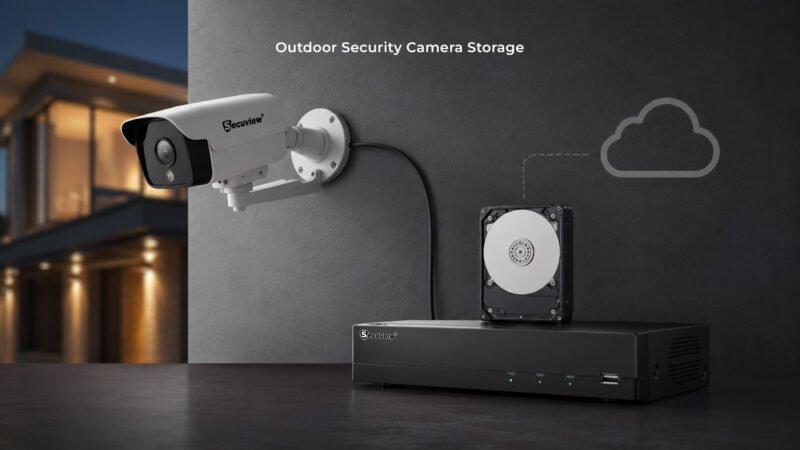
A modern outdoor surveillance camera connected to an NVR and storage system, representing different options for storing security footage.
Outdoor security camera storage depends on more than the hard drive size. Camera count, resolution, bitrate, frame rate, compression, recording mode, and retention period all affect how much space your surveillance system needs.
Key Takeaways
- More cameras create more video data.
- 4K footage needs more storage than 1080p.
- H.265 can reduce storage use compared with H.264.
- Motion recording usually needs less space than 24/7 recording.
- NVRs, SD cards, cloud storage, and hybrid systems offer different storage options.
- Qatar properties may need different retention plans based on the site and monitoring needs.
What Is Outdoor Security Camera Storage?
Outdoor security camera storage is the place where recorded surveillance footage is saved for later viewing. Depending on the system, video can stay on an NVR hard drive, SD card, local storage device, cloud platform, or a combination of these options.
For a home in Doha, a few cameras may need modest capacity. A warehouse, farm in Al Shahaniya, or large property in Al Wakrah can produce much more footage.
The important question is not only “How many terabytes do I need?” It is also “How long do I need to keep my recordings?”
How Does Security Camera Storage Work?
The process is simple:
Camera → Network → Recorder or Storage → Playback
An IP surveillance camera captures video and sends it through PoE, Ethernet, WiFi, or 4G LTE. The footage can then be recorded by an NVR or saved directly to supported local or cloud storage.
Storage use grows when the system records more cameras, higher resolution, higher frame rates, or longer periods.
What Factors Affect Storage Requirements?
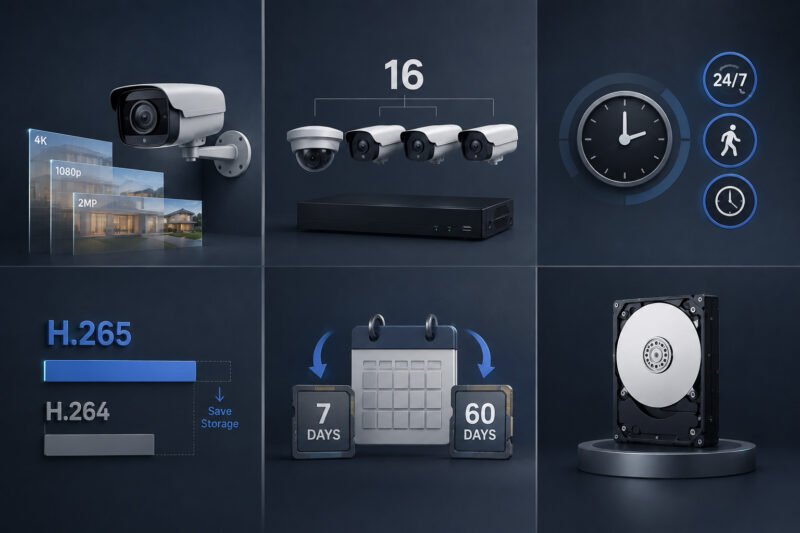
What Factors Affect Storage Requirements
Camera Resolution
Resolution has a direct effect on video data. A 4K security camera usually creates more data than a 2MP or 1080p model.
Higher resolution can be useful for gates, driveways, vehicle areas, and other locations where image detail matters. However, it also increases storage and bandwidth needs.
Number of Cameras
A single camera produces far less footage than eight or sixteen cameras. When planning an NVR system, consider the total number of channels and the storage needed by all active cameras.
Recording Mode
Continuous recording saves video throughout the day and uses the most storage.
Motion-based recording saves clips when activity is detected. This can reduce storage use, especially in areas with limited movement.
Scheduled recording is another option when monitoring is only needed during certain hours.
Compression
H.264 and H.265 are common video codecs. H.265 can store video more efficiently, which may reduce storage and bandwidth requirements while maintaining suitable image quality.
Retention Period
Retention means how long recorded footage should remain available. Keeping video for seven days requires less capacity than keeping it for 30 or 60 days.
Your retention target should be decided before selecting the NVR hard drive.
What Storage Options Can You Use?
NVR and Surveillance HDD
An NVR provides centralized recording for network cameras. A surveillance-grade HDD inside the recorder can store continuous or event-based footage.
This is often a practical choice for villas, offices, shops, warehouses, and larger properties.
SD Card Storage
Some cameras include a microSD card slot. This provides local recording without requiring a separate recorder.
It can suit a single camera or a small installation, although capacity is more limited than a dedicated NVR.
Cloud Storage
Cloud recording stores footage on remote servers. It can make remote access easier and provides an off-site copy of important recordings.
The available capacity and retention period depend on the cloud service plan.
Hybrid Storage
A hybrid setup can combine local recording with cloud backup or remote services. This gives the property an on-site recording source while adding another layer for remote access or backup.
How Much Space Does Your System Need?
There is no single storage size that fits every property.
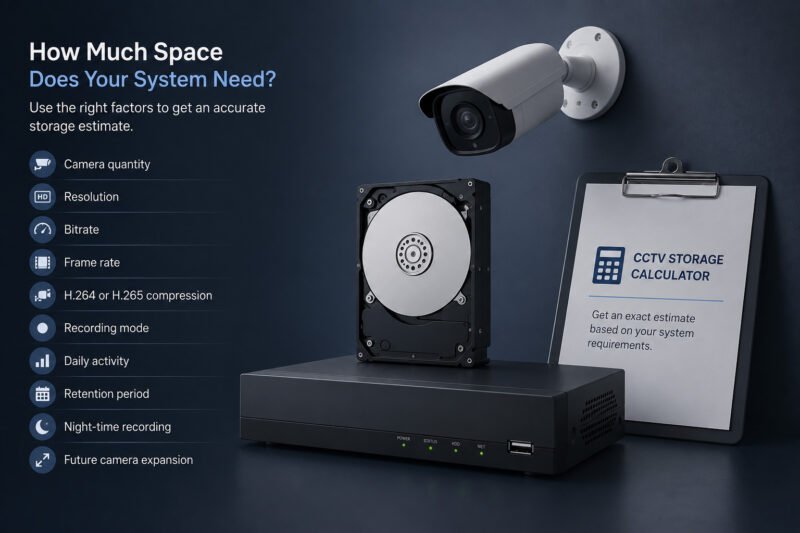
How Much Space Does Your System Need
For example, a small villa with four cameras using motion recording may have very different requirements from a warehouse with twelve cameras recording continuously.
Before purchasing an HDD, consider:
- Camera quantity
- Resolution
- Bitrate
- Frame rate
- H.264 or H.265 compression
- Recording mode
- Daily activity
- Retention period
- Night-time recording
- Future camera expansion
For an exact estimate, use the CCTV Storage Calculator rather than relying on a general HDD size.
How to Reduce Storage Use Without Losing Useful Footage
You do not always need to lower image quality. Start by reviewing the recording settings.
Use motion detection in areas with little activity. Keep continuous recording for critical zones when constant coverage is important. H.265 compression can also help reduce data size.
You can also use different settings for different locations. For example, a gate may need greater detail than a quiet side wall.
Choosing Storage for Qatar Properties
Storage planning should match the property and its surveillance goals.
A Doha villa may need an NVR with enough capacity for entrance, driveway, gate, and boundary cameras. A commercial property in Al Wakrah may require more channels and longer retention.
For a farm or wide site around Al Shahaniya, the camera count, 4G connectivity, solar power, and long-range coverage can affect the complete recording setup.
If you are still selecting the cameras themselves, our outdoor security camera buying guide explains how resolution, connectivity, night vision, power, and other features affect the overall system.
Storage Planning Checklist
Before choosing an NVR HDD or cloud plan, check:
- Number of cameras
- Resolution of each camera
- H.265/H.264 support
- Continuous or motion recording
- Required retention period
- NVR channel capacity
- HDD capacity
- SD-card support
- Cloud backup requirements
- Space for future cameras
Keep Reading
If you are planning a complete outdoor surveillance system, these related topics can help:
FAQs
How much storage does an outdoor security camera need?
Storage needs depend on resolution, bitrate, recording mode, camera count, and retention period. A single camera using motion recording needs much less space than several cameras recording 24/7.
Is a 1TB HDD enough for CCTV?
It can be enough for a small system with limited retention, but the actual capacity depends on the camera settings and number of recording hours.
Does 4K CCTV use more storage?
Yes. 4K footage generally produces more data than lower-resolution video, so it can require more HDD or cloud capacity.
Is H.265 better for CCTV storage?
H.265 is designed to compress video more efficiently than H.264. This can help reduce storage and bandwidth requirements.
Does motion recording save storage?
Yes. Motion-based recording usually uses less storage because the system does not save video continuously when there is no detected activity.
Can security cameras record without an NVR?
Yes. Depending on the model, a camera may record to an SD card or cloud service. An NVR is more useful when several cameras need centralized recording.
Conclusion
Outdoor security camera storage should be planned around camera count, resolution, compression, recording mode, and retention time. An NVR with a surveillance HDD can suit larger systems, while SD cards and cloud services can work well for smaller or more flexible setups.
For Qatar properties, the right capacity can vary greatly between a villa in Doha, a commercial site in Al Wakrah, and a large farm around Al Shahaniya. Plan the recording needs first, then choose the storage system that can support today’s cameras and future expansion.













One thought on “Outdoor Security Camera Storage: How Much Space Do You Need?”
[…] Outdoor CCTV storage requirements […]
You must be logged in to post a comment.