
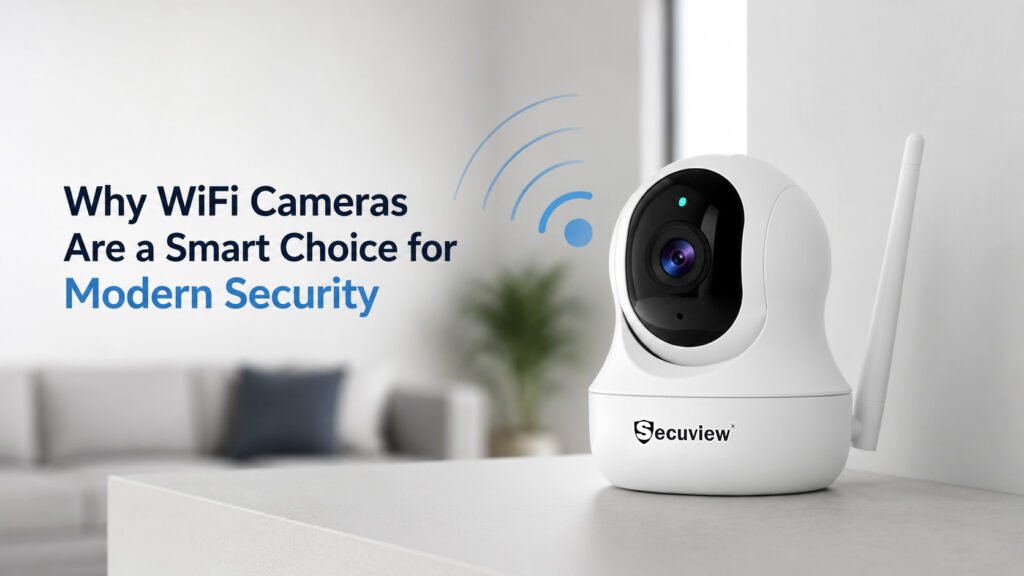
A WiFi camera connects to your home or office network wirelessly over 2.4GHz or 5GHz, instead of running a physical cable back to a recorder. That single fact is what makes its three headline advantages real: no cable to install, full control from a mobile app, and setup that takes minutes rather than a proper cable-running job — with real trade-offs that come with going wireless, covered honestly below rather than glossed over.
What Does WiFi Mean in a Security Camera?
WiFi refers to the IEEE 802.11 family of wireless networking standards, the same technology a laptop or smartphone uses to connect to a router without a cable. A WiFi security camera communicates with the router over either the 2.4GHz or 5GHz band, and that router handles routing the camera’s video data onward, whether that’s to local storage, the internet for remote app access, or both. This is the same underlying wireless standard used everywhere else in a home or office network; a security camera isn’t using a proprietary or different kind of “wireless” from any other WiFi device.
How Do Wi-Fi Cameras Work?
A WiFi camera connects directly to your router over your existing wireless network, the same way a laptop or smartphone does, and streams its video as network data rather than sending it down a dedicated cable. This makes it a specific kind of IP camera — for the underlying mechanics of how IP-based encoding and network transmission actually work, the IP camera guide covers that in full; this article stays focused on what’s specifically different about going wireless.
Benefits of a Wi-Fi Camera
Wireless Security
“Wireless” specifically means no cable needs to be run between the camera and a recorder or router; that’s the entire scope of what it removes. It doesn’t mean the camera needs no power at all (most still plug in or run on battery/solar), and it doesn’t mean the camera works without any WiFi coverage reaching its position; both of those still apply, covered honestly under limitations below.
App Control
A WiFi camera pairs with a mobile app that gives live view, push notifications, and playback access from a phone, without needing a separate physical monitor or dedicated recorder screen to check on the camera.
Easy Installation
Installing a WiFi camera is genuinely different from installing a wired camera: mount the camera, power it, and pair it to the WiFi network through the app, typically via a QR code pairing step, rather than running and terminating a physical cable to a recorder. This is the real, concrete difference behind “easy installation,” not just a marketing phrase.
Technical Features of the WiFi Camera
Most WiFi cameras support dual-band connectivity, both 2.4GHz (better range, more interference-prone) and 5GHz (faster, shorter range), letting the camera use whichever band suits its distance from the router. Where supported, ONVIF and H.265 compression bring the same interoperability and storage-efficiency benefits already covered in the IP camera guide. P2P (peer-to-peer) connectivity and QR code pairing make remote app access and initial setup straightforward, without manual network configuration.
Storage Options for a WiFi Camera
WiFi cameras generally offer one of three storage approaches. Local storage, usually a TF or microSD card inside the camera, keeps footage on-device and doesn’t depend on an internet connection to record, though it isn’t accessible remotely without one. Cloud storage uploads footage to the manufacturer’s servers, making it accessible from anywhere but dependent on a working internet connection and, in most cases, a subscription. Hybrid recording combines both recording locally as the primary copy while also syncing to the cloud, giving continuity if the internet drops without giving up remote access when it’s working. Which option matters most depends on whether local backup or remote accessibility is the higher priority for a given installation.
Where Are WiFi Cameras Commonly Used?
WiFi cameras are especially well suited to homes, apartments, and small offices where running cable isn’t practical or allowed, and rental properties, for instance, where a wired installation isn’t an option. They’re also the natural choice for room-specific monitoring: nurseries, pet monitoring, and small business spaces where one or two cameras cover a defined area rather than a large property needing a full wired system.
Why Choose a Wi-Fi Camera
The case for a WiFi camera comes down to the same three pillars covered above working together: no cable run needed, full control from a phone, and a setup process measured in minutes. That combination suits smaller, defined spaces and situations where wiring isn’t practical far better than it suits large properties needing many cameras, where a wired system, covered in the sections below, generally makes more practical sense at scale.
An Honest Limitation: WiFi Coverage and Interference
A WiFi camera’s reliability depends entirely on the strength of the wireless signal reaching its exact position; thick walls, distance from the router, and interference from other wireless devices can all degrade or drop the connection. This is the direct trade-off against “wireless security” above: removing the cable also means the camera’s reliability now depends on something a wired camera doesn’t have to contend with at all.
Keeping a WiFi Camera Secure
Because a WiFi camera is a network-connected device, it carries the same basic security responsibilities as any other device on a home or office network. That means using a strong, unique password rather than the camera’s default credentials, keeping the camera’s firmware updated so known vulnerabilities get patched, enabling encryption where the camera and app support it, and securing the account tied to the camera’s mobile app the same way any other online account should be secured. None of this is unique to WiFi cameras specifically — it’s the same baseline practice that applies to any WiFi-connected device — but it matters more for a camera than for most, given what it’s actually watching.
With the core of what a WiFi camera is and how it works fully covered, a few comparison questions come up often enough to answer directly.
PoE vs WiFi Camera: What’s the Difference?
The real difference here isn’t the network mechanics themselves — it’s power and installation. A PoE camera gets both data and power over a single Cat6 cable, with no battery to manage and no WiFi signal strength to worry about, at the cost of needing that cable physically run. A WiFi camera trades that cable for wireless flexibility, generally running on battery, solar, or a simple power adapter instead. For the PoE mechanics themselves.
| Feature | WiFi Camera | PoE Camera |
|---|---|---|
| Power Source | Battery, power adapter, or solar panel | Power delivered through a single Ethernet (Cat6) cable |
| Data Connection | Wireless WiFi network | Wired Ethernet network |
| Installation | Quick installation with minimal cabling | Requires Cat5e/Cat6 cable installation |
| Flexibility | Easy to relocate or reposition | Best suited for permanent installations |
| Internet Dependency | Requires a stable WiFi signal | Operates through the local network without relying on WiFi coverage |
| Power Stability | Battery models require periodic charging or solar support | Continuous power through PoE switch or injector |
| Signal Reliability | Performance depends on WiFi coverage and interference | Stable wired connection with minimal signal loss |
| Maximum Cable Distance | Limited by WiFi coverage | Up to 100 metres per Ethernet run (without extenders) |
| Best Applications | Homes, apartments, rental properties, temporary installations | Offices, warehouses, retail stores, commercial buildings, and professional CCTV systems |
| Typical Advantages | Cable-free installation, fast deployment, easy remote placement | Reliable connectivity, continuous recording, higher stability, and easier long-term management |
WiFi Camera vs IP Camera
This isn’t really an either/or — a WiFi camera is a specific type of IP camera, defined by using a wireless connection instead of a physical Cat6 cable to reach the network. IP camera guide covers this distinction in full detail, including why not every IP camera is WiFi-enabled and why not every wireless camera uses genuine IP encoding.
What Are the Alternatives to Wi-Fi Cameras?
For a property that already has coaxial cable installed, the AHD camera guide explains when sticking with that wired setup makes more practical sense than going wireless. For locations with no WiFi coverage at all, a remote gate, or a construction site, a cellular-connected camera is the relevant alternative instead, since it doesn’t depend on a local wireless network reaching it the way a WiFi camera does.
Best WiFi Camera Recommendations
Secuview WiFi Indoor 2K PTZ Baby Monitor Camera
For single-room monitoring, a nursery or small office, this brings pan-tilt-zoom flexibility to one space, letting you reposition the camera remotely rather than relying on a fixed field of view.
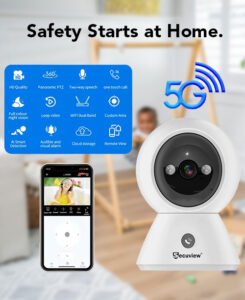
Key Features: – 2K resolution – 355° pan, 90° tilt, with zoom – Two-way audio and one-touch call – Smart motion detection with designated-zone alerts – Local TF card storage – 2.4G/5G WiFi
Secuview WiFi Indoor 5MP PTZ Baby Monitor Camera
A higher-resolution alternative for the same room-monitoring use case, with sharper 5MP detail.
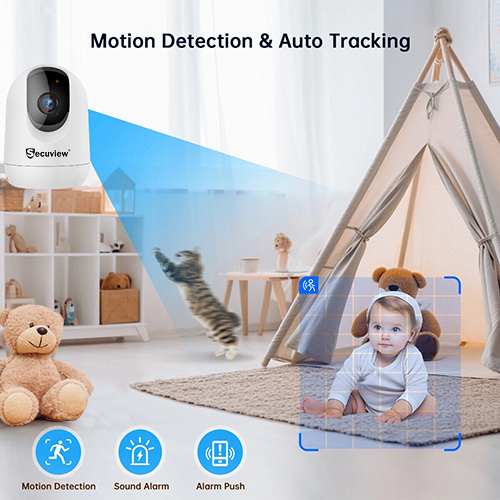
Key Features: – 5MP resolution – 355° pan, 60° tilt, with zoom – Two-way audio – Infrared night vision – Live view and video playback, multi-person sharing – 2.4G/5G WiFi
Secuview WiFi Outdoor Weatherproof Security Camera
For outdoor coverage, entrances, driveways, and gardens, this pairs full pan-tilt-zoom control with weatherproof housing built for Qatar’s outdoor conditions.
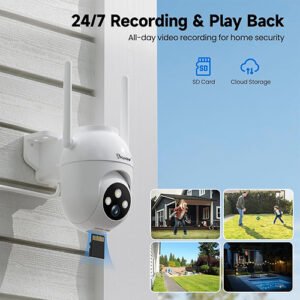
Key Features: – 5MP resolution with full-color night vision – 355° pan, 90° tilt, with zoom – All-weather durability – Two-way audio – Smart motion detection with intelligent tracking – Multi-person sharing – 2.4G/5G WiFi
If you’re looking at specific wireless solutions, exploring the WiFi & 4G camera collection makes it easier to compare indoor, outdoor, battery-powered, and solar-powered models based on where they’ll be installed and how they’ll connect.
Several of the cameras discussed here also use pan-tilt functionality to automatically follow movement or expand the viewing area. If you’re interested in how those motorized features actually work, the guide on how PTZ cameras work explains the technology behind pan, tilt, optical zoom, auto-tracking, and where PTZ cameras are most effective.
Because this article focuses specifically on WiFi camera technology, it doesn’t cover every surveillance option available. If you’re deciding between WiFi, IP, AHD, 4G, or PTZ cameras, the complete CCTV camera types guide provides a broader comparison to help you understand where each technology fits, its advantages, limitations, and the environments they’re best suited for.
Frequently Asked Questions
What is a Wi-Fi camera used for?
Wi-Fi security cameras are commonly used for homes, apartments, and small offices where running network or power cables isn’t practical. They’re also popular for baby monitoring, pet monitoring, and room-specific surveillance.
What is the best Wi-Fi camera?
The best Wi-Fi camera depends on your needs. A PTZ indoor camera is ideal for monitoring a single room such as a nursery, while a weatherproof outdoor camera is better suited for entrances, driveways, and outdoor security.
What is the difference between a wireless camera and a Wi-Fi camera?
“Wireless” is a broad term that includes both Wi-Fi and cellular (4G) cameras. A Wi-Fi camera specifically connects through your local wireless network, while a 4G camera connects through the mobile phone network using a SIM card.
What are the different types of Wi-Fi cameras?
Wi-Fi cameras are available as indoor, outdoor, PTZ, battery-powered, and solar-powered models. The main differences are their weather resistance, movement capabilities, and power source rather than their Wi-Fi connectivity.
How can I access my Wi-Fi camera from outside the home?
You can access your Wi-Fi camera remotely using the manufacturer’s mobile app. Once the camera is connected to your Wi-Fi network and registered to your account, you can securely view live footage and recordings from almost anywhere with an internet connection.
Can I connect my security camera to my phone without Wi-Fi?
Yes, but only in certain situations. Some cameras can connect directly to your phone on the same local network, while others use a cellular (4G) connection instead of Wi-Fi for remote access.
What camera types don’t require Wi-Fi?
Wired AHD cameras, PoE IP cameras, and 4G cellular security cameras all operate without Wi-Fi. Wired cameras use network or video cables, while 4G cameras use the mobile network.
How many gigabytes are needed for 30 days of recording on a Wi-Fi camera?
Storage requirements depend on video resolution, compression technology, recording settings, and the amount of detected motion. Cameras using H.265 video compression require significantly less storage than older H.264 models at the same resolution.
What do people use instead of Wi-Fi?
Where reliable Wi-Fi isn’t available, people typically choose either a 4G cellular security camera or a fully wired AHD or PoE security camera system.
What is the purpose of a Wi-Fi camera?
A Wi-Fi camera provides security monitoring with remote viewing through a mobile app, eliminating the need to run network cables between the camera and your recorder or router.
Does a Wi-Fi camera need internet?
A Wi-Fi camera needs a local Wi-Fi network to communicate with your home network. An internet connection is only required if you want to access the camera remotely when you’re away from home.
How far can a Wi-Fi camera reach?
The range depends on your router, building materials, and whether the camera uses the 2.4GHz or 5GHz Wi-Fi band. Generally, 2.4GHz provides greater range through walls, while 5GHz offers faster speeds over shorter distances.
Do cameras record when Wi-Fi is off?
If the camera has local SD or TF card storage, it can usually continue recording even when Wi-Fi is unavailable. However, remote viewing and notifications won’t work until the connection is restored. Cameras that rely solely on cloud storage generally cannot record without an active internet connection.
Can Wi-Fi cameras work without electricity?
No. Wi-Fi provides network connectivity only, not power. Every Wi-Fi camera still requires a power source, whether that’s mains electricity, a rechargeable battery, or a solar charging system.
Are Wi-Fi cameras safe from hackers?
Yes, when properly secured. Using a strong unique password, enabling account security features, keeping firmware up to date, and avoiding default login credentials significantly reduces security risks.
How much internet does a Wi-Fi camera use?
Internet usage varies depending on video resolution, compression technology, recording frequency, and how often you stream live footage. Motion-triggered recording and H.265 video compression can significantly reduce monthly data usage compared to continuous streaming.













