
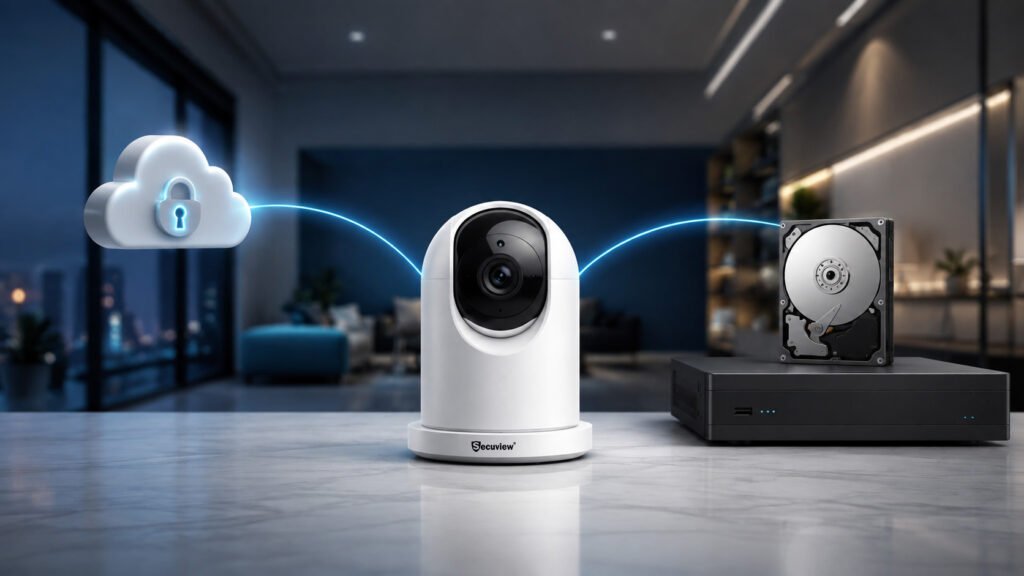
Indoor CCTV cameras need storage for recorded footage. The two main options are cloud storage and local storage.
Cloud storage keeps video on a remote service. Local storage saves footage at your property. Common local options include an SD card, NVR, or hard drive.
For a small home system, cloud storage can make remote access easier. Local storage can be a better fit for several cameras and continuous recording.
The right option depends on how you use your CCTV system.
Key Takeaway
Cloud storage is best for easy remote access and off-site backup. Local storage is better for direct control and continuous recording without a cloud subscription.
Some systems support both methods. This gives you local recording with added cloud features.
What Is Cloud Storage for Indoor CCTV Cameras?
Cloud CCTV storage saves recorded video on a remote storage service.
The camera sends footage through an internet connection. You can then access saved recordings through a supported app or web platform.
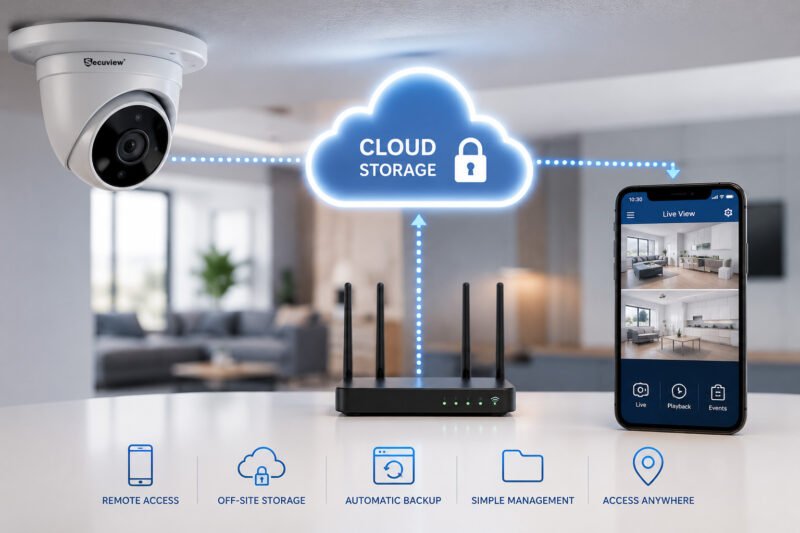
Cloud CCTV storage lets users save footage remotely and access recordings from different locations.
How Cloud CCTV Storage Works
The indoor camera captures video and sends it through the network.
The cloud service stores the footage based on your plan. You can access the recordings from an approved device.
This can be useful when you need to check your CCTV footage while away from home or work.
Benefits of Cloud CCTV Storage
- Remote access
- Off-site video storage
- Automatic backup
- Simple footage management
- Access from different locations
Limitations of Cloud CCTV Storage
Cloud recording may require a monthly or yearly subscription.
It also depends on an internet connection for uploading footage. Your account should have a strong password and suitable security settings.
What Is Local Storage for Indoor CCTV Cameras?
Local CCTV storage keeps recorded footage at your property.
A camera may save video to an SD card. Larger systems can use an NVR with a surveillance hard drive.
This gives you direct access to your recorded footage.
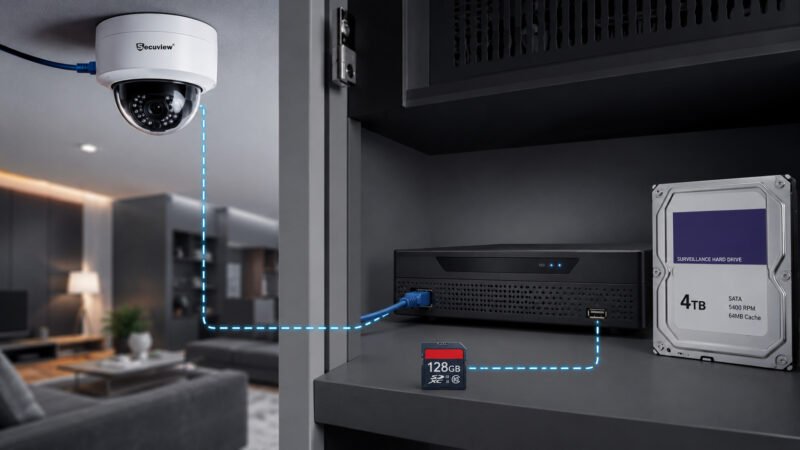
Local Storage for Indoor CCTV Cameras
SD Card Storage
An SD card can work well with one indoor camera or a small CCTV setup.
It does not need a separate recorder. The main limit is storage capacity.
When the card becomes full, the camera may overwrite older footage.
NVR and Hard Drive Storage
An NVR, or Network Video Recorder, can record footage from several IP cameras.
The NVR stores video on a compatible surveillance HDD. This makes it useful for homes, offices, shops, and other properties with several cameras.
Benefits of Local CCTV Storage
- Direct control over recorded footage
- No cloud subscription for local recording
- Suitable for continuous recording
- Works well with multiple cameras
- Storage can be increased with compatible equipment
Limitations of Local CCTV Storage
Local storage needs recording hardware. An NVR and hard drive also add to the initial cost.
The equipment stays at the property. It should be placed in a secure location.
Remote viewing may also need extra network setup.
Cloud vs. Local CCTV Storage: What Is the Difference?
| Factor | Cloud Storage | Local Storage |
|---|---|---|
| Storage location | Remote service | SD card, NVR, or HDD |
| Remote access | Usually simple | Depends on the system |
| Subscription | Often required | Usually not required |
| Internet | Needed for cloud upload | Local recording can continue. |
| Footage control | Managed through the service | Direct user control |
| Multiple cameras | Depends on the plan | NVR supports multiple cameras. |
| Physical storage | Off-site | On-site |
The main difference is simple. Cloud storage keeps footage away from the property. Local storage keeps it at the property.
Your choice should match your recording needs and the way you want to access footage.
Cloud vs Local Storage: Which Is Better?
Neither option is right for every indoor CCTV system.
Choose Cloud Storage If You Need
Cloud storage can suit homeowners who want quick remote access.
It can also help when you want video stored away from the property. You do not need to manage a local recorder for cloud-only recording.
Choose Local Storage If You Need
Local storage can suit users who want continuous recording and direct control over footage.
It is also useful for systems with several indoor cameras. An NVR can bring recordings from multiple cameras into one system.
Consider Hybrid CCTV Storage
Some CCTV systems support local and cloud storage together.
Local recording keeps a copy at the property. Cloud storage can add remote access or off-site backup.
Check the camera and recorder specifications before choosing this setup.
Cloud vs. Local CCTV Storage Cost
Cloud storage often comes with a recurring fee.
The price may depend on the number of cameras, storage period, and features included in the plan.
Local storage has a different cost structure. You may need an NVR, surveillance HDD, SD card, and installation.
For a fair comparison, look at the total cost over several years. This gives you a clearer picture than comparing the starting price alone.
How Much Storage Do Indoor CCTV Cameras Need?
The amount of storage depends on several factors:
- Number of cameras
- Camera resolution
- Bitrate
- Frame rate
- Recording hours
- Continuous or motion recording
- Retention period
- Video compression
A single camera using motion recording needs less storage than several cameras recording all day.
Higher resolution also creates larger video files.
Use the CCTV Storage Calculator to estimate your storage requirement before choosing an NVR or hard drive.
Which Storage Is Better for Different Indoor Spaces?
Homes and Apartments
Cloud storage can work well when remote viewing is important.
An SD card may be enough for one indoor camera. If you need several cameras, an NVR can provide centralized recording.
For apartment planning, see our guide to apartment security cameras.
Small Businesses
Small businesses may need continuous recording and longer video retention.
An NVR can handle recordings from several indoor cameras. Cloud storage can also help owners check footage remotely.
See our guide to indoor security cameras for small businesses.
Offices and Commercial Spaces
Offices often use several cameras to cover entrances, work areas, corridors, and other important spaces.
A central NVR can make recording and playback easier. The hard drive size should match the number of cameras and the required retention period.
What Happens If the Internet Goes Down?
The effect depends on your storage method.
A camera that records to an SD card can continue saving footage locally. An NVR can also continue recording connected cameras.
Cloud recording is different. It normally needs internet access to upload new footage.
Remote viewing may also stop during an internet outage.
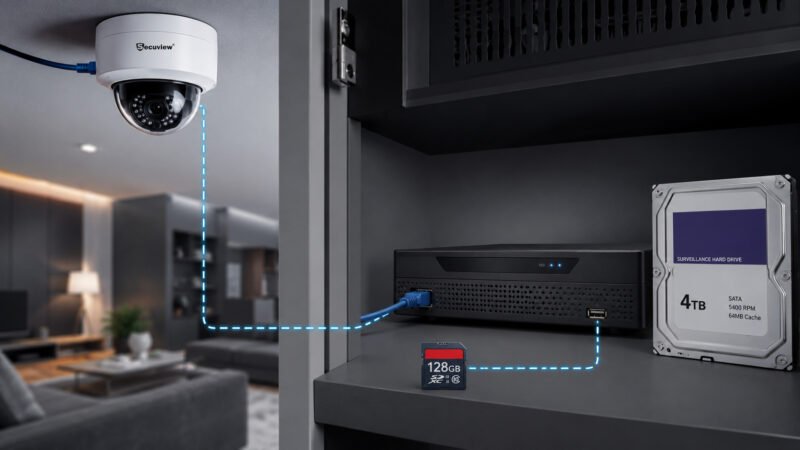
Local CCTV storage can continue recording during an internet outage, while cloud recording normally needs an internet connection.
Is Cloud Storage Safer Than Local CCTV Storage?
Neither option is automatically safer.
Cloud storage keeps footage away from the property. This can help protect recordings if local equipment is damaged or stolen.
Local storage gives you direct control over the recording device. The NVR, HDD, or SD card stays on-site, so physical security matters.
Good account security is important for cloud systems. Local systems also need secure network access.
Use strong passwords and limit access to trusted users. Keep important recordings backed up when necessary.
How to Choose the Right CCTV Storage
Ask these questions before choosing a storage method:
- How many indoor cameras will you use?
- Do you need continuous recording?
- How many days of footage should you keep?
- Is your internet connection reliable?
- Do you need remote viewing?
- Do you prefer a subscription or local equipment?
- Will you add more cameras later?
- How much storage does your camera resolution require?
Your answers will narrow down the right option.
If you are comparing camera types before choosing storage, read our guide to the best indoor security cameras in Qatar.
Keep Reading
- WiFi vs. PoE Indoor CCTV Cameras
- Indoor CCTV Installation Cost in Qatar
- Indoor CCTV Coverage
- CCTV Storage Calculator
FAQs About Cloud and Local CCTV Storage
Which is better, cloud storage or local storage for CCTV?
Cloud storage is useful for remote access and off-site backup. Local storage gives direct control over recordings and works well for continuous recording. The better choice depends on your system.
Do indoor CCTV cameras need cloud storage?
No. Many indoor CCTV cameras can record to an SD card or NVR. Cloud storage is an optional feature on compatible systems.
Can CCTV cameras record without the internet?
Yes. Cameras with local storage can continue recording during an internet outage. Cloud recording and remote viewing may stop until the connection returns.
Is local CCTV storage cheaper than cloud storage?
Local storage usually costs more at the start because it needs recording hardware. Cloud storage often has recurring fees. Compare both options over several years.
Can cloud CCTV storage be hacked?
Cloud services can face online security risks. Use a strong password and enable available security features. Keep your camera and network equipment updated.
Can I use cloud and local storage together?
Yes, some CCTV systems support both options. Local storage keeps footage on-site. Cloud services can add remote access or backup.
Where can I buy indoor CCTV cameras with local storage in Qatar?
You can buy compatible indoor CCTV cameras through the Secuview e-commerce platform or visit the Secuview showroom at Retaj Building, Salwa Road, Doha, Qatar.
Conclusion
Cloud and local storage offer two different ways to manage indoor CCTV footage.
Cloud storage focuses on remote access and off-site recording. Local storage focuses on direct control and on-site recording.
An SD card can suit a single indoor camera. An NVR is more practical when several cameras need continuous recording.
Cloud storage may be the better choice when remote access matters most. Local storage can make more sense when you want control over your footage without a recurring cloud fee.
Before choosing, check your camera count, recording schedule, retention period, internet connection, privacy needs, and total cost.
The best storage option matches your actual CCTV setup.













