
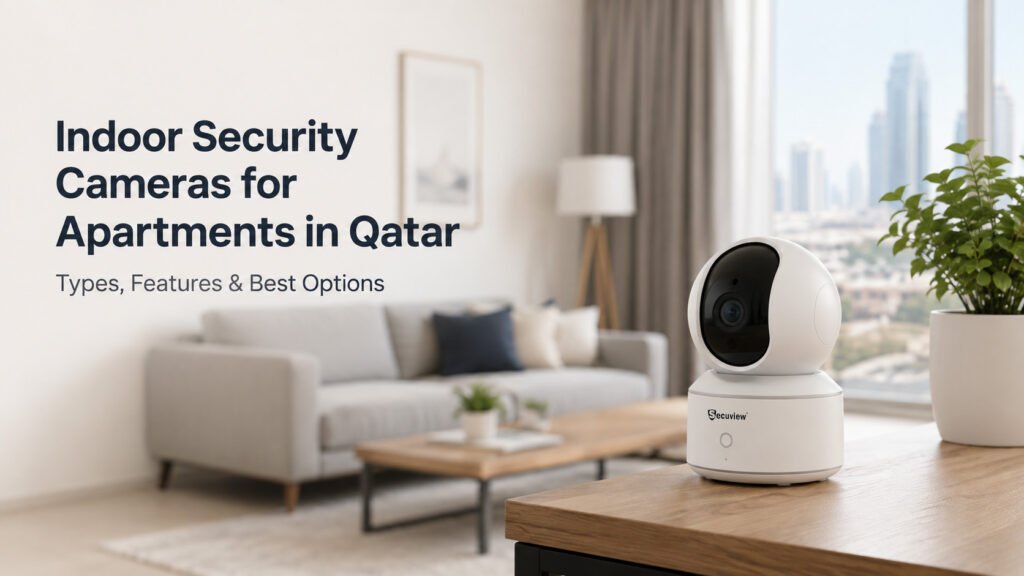
Choosing an indoor security camera for an apartment is not simply about selecting the highest megapixel number. The right camera should match the apartment layout, viewing area, connectivity, lighting conditions, monitoring purpose, and installation environment.
For apartments in Qatar, particularly modern residential spaces in areas such as Doha and Lusail, WiFi indoor cameras can be practical when flexible installation and smartphone access are priorities. A wired IP camera can be more appropriate when a permanent network-based surveillance system is required.
This guide explains the main camera types, important features, apartment-specific use cases, and relevant Secuview options.
Understanding Indoor Security Needs in an Apartment
Apartment surveillance is usually focused on selected indoor areas rather than comprehensive coverage of a large property. The objective is to monitor useful areas without installing unnecessary cameras.
The first step is therefore to understand what needs to be monitored and why.
Apartment Layout and Indoor Surveillance Requirements
Apartment layouts vary considerably. A compact apartment may have a living room connected to a dining area, while a larger apartment may contain several bedrooms, corridors, a home office, and multiple entrances.
Camera selection should account for:
- Room dimensions
- Camera viewing distance
- Field of view
- Furniture placement
- Lighting
- Available power
- WiFi coverage
- Required viewing direction
A camera with pan-and-tilt functionality can be useful where one viewing position needs to cover several areas of a room.
Monitoring Living Areas and Common Spaces
Living rooms are often among the most useful locations for an indoor camera because they can contain several activity zones.
Depending on the apartment layout, a camera may monitor:
- Main living space
- Children’s activity area
- Pet area
- Home office corner
- Access routes between rooms
The camera should be positioned to provide useful coverage without unnecessarily monitoring private areas.
Monitoring Apartment Entry Points
An indoor camera can also be positioned toward an apartment’s interior entrance area.
The objective is not simply to point the camera at the door. Consider the viewing angle, distance from the entrance, lighting from nearby windows, and whether the camera can capture the intended area without obstruction.
Balancing Coverage, Privacy, and Camera Placement
More coverage is not automatically better.
An effective apartment surveillance setup should balance:
coverage + useful image detail + privacy + installation practicality
The camera should monitor areas relevant to the intended purpose while avoiding unnecessary views into private spaces.
Indoor Camera Types for Apartment Monitoring

Comparison of WiFi, pan-tilt, PTZ and indoor IP camera options for apartment monitoring.
Different camera architectures suit different apartment environments.
WiFi Indoor Cameras for Flexible Installation
WiFi cameras can be useful when running Ethernet cable is difficult or undesirable.
They can provide:
- Flexible placement
- Wireless network connectivity
- Smartphone access
- Easier relocation
- Less dependence on structured Ethernet cabling
This makes WiFi cameras particularly relevant for apartments where residents want indoor monitoring without undertaking extensive cabling work.
Pan-Tilt Cameras for Adjustable Viewing
A pan-tilt camera can change its viewing direction horizontally and vertically.
This can be useful when the camera needs to observe different parts of a room at different times.
For example, a camera in a family room could potentially be directed toward different activity areas without physically moving the camera.
PTZ Cameras for Wider Indoor Coverage
PTZ cameras add movement control to the viewing system.
The Secuview WiFi Indoor 2K PTZ Baby Monitor Camera provides 355° pan and 90° tilt, giving it a wide range of horizontal and vertical movement for indoor monitoring.
This type of camera can be useful when flexible room coverage is more important than having a fixed viewing angle.
Indoor IP Cameras for Network-Based Surveillance
Indoor IP cameras are designed for network-based video surveillance.
They can be appropriate for apartment owners who want a more permanent installation using Ethernet infrastructure.
The Secuview 5MP Indoor IP Camera is an option for this type of setup, with features including 5MP imaging, network connectivity, smart detection, two-way audio, auto-tracking, and ONVIF support.
Wired and Wireless Camera Considerations
The choice between WiFi and wired connectivity depends on the apartment and the intended installation.
WiFi may be preferable when:
- Installation flexibility is important
- New Ethernet cabling is inconvenient
- Smartphone access is a priority
- The camera may need to be relocated
Wired IP may be preferable when:
- A permanent installation is planned
- Ethernet infrastructure is available
- Network-based surveillance is required
- Consistent wired connectivity is preferred
Image Quality for Indoor Apartment Monitoring
Image quality is influenced by more than resolution.
A camera’s practical performance depends on the relationship between resolution, lens, lighting, viewing distance, compression, and positioning.
2K and 5MP Resolution
The Secuview range includes different resolution options for indoor monitoring.
The Secuview WiFi Indoor 2K PTZ Baby Monitor Camera provides 2K video, while the Secuview WiFi Indoor 5MP PT Baby Monitor Camera and Secuview 5MP Indoor IP Camera provide a higher listed 5MP resolution.
A higher resolution can provide more image detail, but it may also increase storage and bandwidth requirements.
Lens and Field of View
Resolution alone does not determine how much of an apartment can be monitored.
The lens and field of view determine how much of a room appears within the image.
A wide field of view can be useful in smaller rooms, while pan-and-tilt movement can provide additional flexibility.
Viewing Distance and Image Detail
A camera should be selected according to the distance between the camera and the area being monitored.
For example, a camera positioned far from a doorway may need different image characteristics from a camera installed close to a small living area.
Daytime Indoor Imaging
Natural and artificial lighting can affect image quality.
Avoid positioning the camera directly toward strong windows where possible, because excessive backlighting can reduce useful image detail.
Low-Light and Infrared Performance
Apartment monitoring does not stop when the lights are turned off.
The Secuview WiFi Indoor 5MP PT Baby Monitor Camera includes infrared night vision for low-light monitoring.
This can be useful for bedrooms, nurseries, and other indoor areas that may be dark during nighttime hours.
Smart Features for Apartment Indoor Cameras

Smart indoor camera features including motion detection, two-way audio, smartphone viewing, auto-tracking and local storage.
Modern indoor cameras can combine video surveillance with communication and activity detection.
Motion Detection
Motion detection can identify movement within the camera’s monitored area.
This can be useful when residents want notifications about activity rather than continuously watching a live video feed.
However, motion detection should be configured appropriately to reduce unnecessary alerts caused by routine household movement.
Smart Activity Alerts
Smart alerts can help users respond to activity without constantly checking the camera.
The usefulness of an alert depends on camera positioning, detection settings, and the activity occurring in the monitored area.
Two-Way Audio
Two-way audio allows users to listen and communicate through a compatible camera.
It can be useful for:
- Family communication
- Baby monitoring
- Pet monitoring
- Elderly family monitoring
- Communication between rooms
Both the Secuview WiFi Indoor 2K PTZ and Secuview WiFi Indoor 5MP PT cameras provide two-way audio.
Smartphone Remote Viewing
Smartphone access allows authorized users to check a camera remotely.
This can be useful when a resident is:
- In another room
- At work
- Away from the apartment
- Checking on a pet
- Checking on a child
- Checking on an elderly family member
The Secuview WiFi Indoor 2K PTZ and 5MP PT models support smartphone-based monitoring.
Auto-Tracking
Auto-tracking can help a compatible camera follow detected movement within its viewing area.
For apartment environments, this may be useful where activity can occur across different parts of a room.
Local Video Storage
Storage requirements should be considered before installation.
The Secuview 2K PTZ model supports TF-card storage, providing a local recording option for compatible cards.
The appropriate storage method depends on whether the user needs live viewing, event recording, continuous recording, or playback.
Matching Indoor Cameras to Apartment Areas
The appropriate camera can vary according to the room and monitoring purpose.
Living Room Monitoring
A PT or PTZ camera can be useful in a living room because the camera can potentially cover different areas of the room.
The Secuview WiFi Indoor 2K PTZ or Secuview WiFi Indoor 5MP PT can be considered where flexible wireless indoor coverage is required.
Entrance and Doorway Monitoring
An indoor camera positioned toward an apartment entrance can provide visibility of the interior side of the entry area.
Camera placement should account for:
- Door position
- Lighting
- Viewing distance
- Field of view
- Potential obstructions
Bedroom Monitoring
Bedrooms require particular attention to privacy.
If monitoring is necessary, the camera should be positioned only for the intended purpose and access should be restricted to authorized users.
Nursery and Child Monitoring
Indoor PT/PTZ cameras can be useful in nurseries where parents want flexible viewing, motion detection, two-way audio, and smartphone access.
The Secuview 2K PTZ and 5MP PT models are designed for indoor monitoring applications that include baby monitoring.
Home Office Monitoring
A camera can provide indoor monitoring for a home office when the user needs visibility of the workspace or surrounding area.
However, privacy should be considered when the office is also used for confidential work.
Pet and Family Monitoring
Indoor cameras can also be used beyond conventional security.
Depending on the selected model, applications can include:
- Pet monitoring
- Child monitoring
- Elderly family monitoring
- General indoor observation
Recommended Indoor Cameras for Apartments in Qatar
Secuview WiFi Indoor 2K PTZ Baby Monitor Camera
The Secuview WiFi Indoor 2K PTZ Baby Monitor Camera is a flexible option for apartment environments where wireless connectivity and adjustable indoor coverage are important.
Key features include:
- 2K video
- 355° pan
- 90° tilt
- PTZ functionality
- Two-way audio
- Smart motion detection
- Smartphone remote viewing
- One-touch call
- Designated-area alerts
- TF-card storage
- 2.4G and 5G WiFi
Its pan and tilt range can be useful when one camera needs to cover different viewing directions within an indoor room.
This makes it relevant for living rooms, bedrooms, nurseries, pet monitoring, and elderly family monitoring.
Secuview WiFi Indoor 5MP PT Baby Monitor Camera
The Secuview WiFi Indoor 5MP PT Baby Monitor Camera provides a higher listed 5MP resolution while retaining flexible pan-and-tilt functionality.
Key features include:
- 5MP video
- 355° pan
- 60° tilt
- PT functionality
- Infrared night vision
- Two-way audio
- Smart motion detection
- Smartphone remote access
- 2.4G and 5G WiFi
- Multiple-person sharing
It can be considered for apartments where higher listed resolution and low-light monitoring are important.
Its intended indoor applications include baby monitoring, pet monitoring, elderly family monitoring, and general indoor observation.
Secuview 5MP Indoor IP Camera
For users planning a more permanent network-based installation, the Secuview 5MP Indoor IP Camera provides a different approach.
Secuview 5Mp Indoor Ip Camera | Two-Way Audio, Auto Tracking & ONVIF.
Its relevant features include:
- 5MP imaging
- IP connectivity
- PoE/Ethernet installation
- ONVIF support
- Two-way audio
- Smart detection
- Auto-tracking
- Network-based surveillance
This model is more relevant when the apartment installation is being designed around wired IP networking rather than a primarily wireless camera setup.
Comparing Secuview Cameras by Apartment Use Case
The right option depends on the installation rather than simply the product’s resolution.
Flexible WiFi Indoor Monitoring
Consider the Secuview WiFi Indoor 2K PTZ or Secuview WiFi Indoor 5MP PT when wireless installation and smartphone access are priorities.
Wider Pan-Tilt Coverage
The Secuview WiFi Indoor 2K PTZ offers 355° pan and 90° tilt, making it particularly well-suited for applications requiring greater vertical and horizontal viewing movement.
Higher Listed Image Resolution
The Secuview WiFi Indoor 5MP PT or Secuview 5MP Indoor IP Camera can be considered when higher listed resolution is a priority.
Low-Light Indoor Monitoring
The Secuview WiFi Indoor 5MP PT is a relevant option where infrared night vision is important.
Wired Network-Based Monitoring
The Secuview 5MP Indoor IP Camera is the more relevant option when a wired IP surveillance architecture is preferred.
Multi-Purpose Home Monitoring
For baby, pet, family, or elderly monitoring, the Secuview WiFi Indoor 2K PTZ or Secuview WiFi Indoor 5MP PT can provide flexible indoor monitoring features.
Camera Placement for Apartment Coverage
Even a technically capable camera can perform poorly if it is installed incorrectly.
Selecting the Camera Position
Choose a position that provides a clear view of the intended area while maintaining appropriate privacy.
Optimizing the Viewing Angle
The camera’s lens and PT/PTZ movement should be considered together.
A camera should not be positioned so that furniture, walls, doors, or other objects unnecessarily block the viewing area.
Reducing Indoor Blind Spots
Identify important areas before installation.
For PT/PTZ cameras, consider how the movement range can be used to cover different parts of the room.
Managing Window Light and Backlighting
Avoid pointing the camera directly toward bright windows when possible.
Strong backlighting can make people and objects appear darker and reduce useful image detail.
Securing Power and Network Connections
Power cables should be routed safely and securely.
For wired IP installations, Ethernet cabling should also be installed appropriately and kept away from unnecessary damage or interference.
The camera itself is only one part of an indoor surveillance system. Once the apartment’s coverage and camera type have been established, network performance, storage, privacy, and system design also become important.
WiFi and Network Considerations for Apartment Cameras
WiFi performance can directly affect the reliability of a wireless camera.
2.4GHz and 5GHz Wireless Connectivity
The featured Secuview WiFi models support 2.4G and 5G WiFi.
The choice between bands depends on the apartment environment, router capabilities, distance, and wireless interference.
WiFi Signal Strength and Camera Reliability
A camera should be installed where the wireless signal is sufficiently reliable.
A weak connection can affect live viewing, remote access, and other network-dependent functions.
Apartment Walls and Wireless Interference
Concrete walls, distance, neighboring wireless networks, and other electronic equipment can influence WiFi performance.
Router Positioning and Camera Connectivity
The camera’s distance from the router should be considered during installation.
A strong connection near the router does not necessarily mean the same performance will be available in another room.
Internet Requirements for Remote Monitoring
Remote smartphone access generally depends on network and internet connectivity.
Users should distinguish between local camera functionality and features that require remote network access.
For a broader look at indoor camera options and selection factors across Qatar, see the Best Indoor Security Cameras in Qatar guide.
Camera Quantity and Coverage Planning
Not every apartment requires multiple cameras.
Single-Camera Apartment Coverage
A single camera may be practical for a small apartment or one specific monitoring area.
Two-Camera Apartment Coverage
Two cameras can be useful when important areas are separated, such as a living room and bedroom.
Monitoring Separate Rooms
Larger apartments may require cameras in separate rooms rather than relying on one camera to cover the entire residence.
Avoiding Excessive Camera Deployment
Installing additional cameras increases equipment, storage, network traffic, maintenance, and privacy considerations.
The objective should be useful coverage rather than the highest possible camera count.
Storage and Bandwidth Requirements
Camera resolution and recording settings influence storage and network requirements.
Camera Resolution and Recording Storage
Higher-resolution footage generally creates more data than lower-resolution footage.
Video Bitrate and Network Traffic
Multiple network cameras can create substantial traffic, particularly when high-resolution video is transmitted continuously.
Local Storage for Indoor Cameras
Local storage can provide a convenient method for retaining recordings on compatible cameras.
Continuous Recording vs Motion Recording
Users should decide whether they require continuous footage or event-based recordings.
Motion recording can reduce the amount of stored footage, while continuous recording provides a more complete recording history.
Storage Requirements for Multiple Cameras
As the number of cameras increases, storage requirements can increase accordingly.
A multi-camera apartment system should therefore be planned around both camera resolution and recording duration.
Privacy and Responsible Indoor Monitoring
Indoor cameras operate within private residential environments, so responsible use is essential.
Authorized Camera Access
Camera access should be restricted to people who genuinely need it.
Family Sharing and User Permissions
If a camera supports multiple users, sharing should be limited to trusted and authorized family members.
Protecting Camera Login Credentials
Strong account credentials and appropriate security practices should be used to reduce the risk of unauthorized access.
Avoiding Unnecessary Private-Area Monitoring
Cameras should not be positioned to unnecessarily monitor private spaces.
Responsible Camera Placement
The purpose of the camera should be established before installation, and its field of view should be limited to the intended monitoring area.
Common Apartment CCTV Design Mistakes
Choosing Only by Megapixel Count
A higher megapixel number does not automatically guarantee better surveillance.
Resolution should be considered together with lens, lighting, viewing distance, bitrate, storage, and placement.
Poor Camera Positioning
Even an advanced camera can provide poor footage if it is installed at an unsuitable angle.
Incorrect Field of View
A camera may have excellent image quality but still fail to cover the area that matters.
Weak WiFi Connectivity
A wireless camera should not be installed in an area where the WiFi connection is consistently unreliable.
Installing More Cameras Than Necessary
Additional cameras should solve a specific coverage problem rather than simply increase the camera count.
Ignoring Low-Light Conditions
Apartment rooms can have significantly different lighting during the day and night.
Forgetting Storage Requirements
Recording high-resolution footage without planning storage capacity can create problems later.
Indoor Security Camera Buying Considerations in Qatar
When comparing indoor cameras in Qatar, consider the complete installation rather than a single specification.
Camera Features and Apartment Requirements
Start with the area you need to monitor and identify the features that directly support that objective.
Installation Environment
Determine whether the camera will be installed in a rented apartment, permanent residence, or a property where Ethernet cabling is already available.
Network Infrastructure
Consider WiFi coverage, router location, Ethernet availability, and the number of network-connected devices.
Recording Requirements
Decide how much footage needs to be retained and whether local or other storage options are appropriate.
Long-Term Expandability
If additional cameras may be required later, consider whether the chosen architecture can accommodate future expansion.
Choosing Between WiFi and IP Cameras
A WiFi camera can provide installation flexibility, while an IP camera can be more appropriate for a structured wired surveillance system.
Where to Find Indoor Security Cameras for Apartment Monitoring in Qatar
Secuview provides indoor camera options for different residential monitoring requirements through its e-commerce platform.
The available categories include WiFi indoor cameras, PT/PTZ cameras, and network-based IP cameras.
The appropriate product depends on the apartment’s layout, connectivity, viewing requirements, and intended monitoring purpose.
Frequently Asked Questions
Which indoor camera is suitable for an apartment in Qatar?
The Secuview WiFi Indoor 2K PTZ Baby Monitor Camera or Secuview WiFi Indoor 5MP PT Baby Monitor Camera are suitable options for apartments where flexible WiFi-based indoor monitoring is required. For a wired IP setup, the Secuview 5MP Indoor IP Camera is another option.
Is a WiFi camera suitable for an apartment?
Yes. The Secuview WiFi Indoor 2K PTZ Baby Monitor Camera or Secuview WiFi Indoor 5MP PT Baby Monitor Camera can be suitable for apartments where wireless installation and smartphone monitoring are preferred.
Is a PTZ camera useful for apartment monitoring?
Yes. The Secuview WiFi Indoor 2K PTZ Baby Monitor Camera or Secuview WiFi Indoor 5MP PT Baby Monitor Camera can provide flexible pan-and-tilt indoor coverage.
Which indoor camera is suitable for higher-resolution monitoring?
The Secuview WiFi Indoor 5MP PT Baby Monitor Camera or Secuview 5MP Indoor IP Camera are suitable options when higher listed resolution is a priority.
Which camera is suitable for a wired apartment surveillance system?
The Secuview 5MP Indoor IP Camera is an appropriate option for a wired IP setup, while the Secuview WiFi Indoor 2K PTZ or 5MP PT models are alternatives for wireless indoor monitoring.
Which indoor camera is suitable for night monitoring?
The Secuview WiFi Indoor 5MP PT Baby Monitor Camera is a relevant option for low-light monitoring because it includes infrared night vision.
Can I view my apartment camera from my phone?
Yes. The Secuview WiFi Indoor 2K PTZ Baby Monitor Camera or Secuview WiFi Indoor 5MP PT Baby Monitor Camera can be used for smartphone-based remote monitoring.
Can an indoor camera be used for baby or pet monitoring?
Yes. The Secuview WiFi Indoor 2K PTZ Baby Monitor Camera or Secuview WiFi Indoor 5MP PT Baby Monitor Camera can be used for baby, pet, and general indoor monitoring.
Can an indoor camera be used for elderly family monitoring?
Yes. The Secuview WiFi Indoor 2K PTZ Baby Monitor Camera or Secuview WiFi Indoor 5MP PT Baby Monitor Camera can support indoor elderly family monitoring through remote viewing and two-way audio.
Where can I buy a security camera for my apartment in Qatar?
You can buy apartment-suitable cameras through the Secuview e-commerce platform, including WiFi PT/PTZ and wired IP camera options.













