
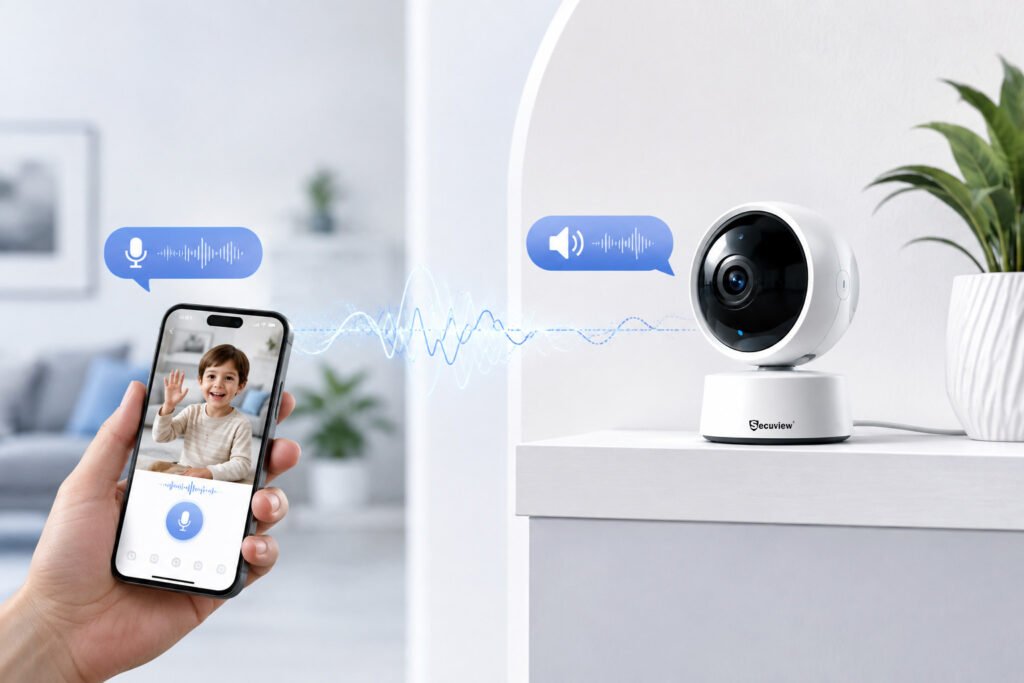
Two-way audio lets you listen to sound near an indoor CCTV camera and speak through the camera from a connected phone or device. It combines a built-in microphone with a speaker to support live communication.
This feature can be useful in homes, offices, shops, reception areas, and baby monitoring rooms. Instead of only watching live video, you can also respond to people or activity near the camera.
Key Takeaways
- Two-way audio lets you listen and speak through a compatible CCTV camera.
- A built-in microphone captures sound near the camera.
- A built-in speaker plays your voice in the monitored area.
- Most smart cameras provide two-way audio through a mobile app.
- Network quality can affect audio delay and clarity.
- Camera placement matters for both video and sound.
- Privacy settings are important when audio recording is enabled.
- Two-way audio can be useful for home, office, business, and baby monitoring.
What Is Two-Way Audio in an Indoor CCTV Camera?
Two-way audio is a communication feature built into some indoor security cameras. It lets the user hear what is happening near the camera and speak back through the camera’s speaker.
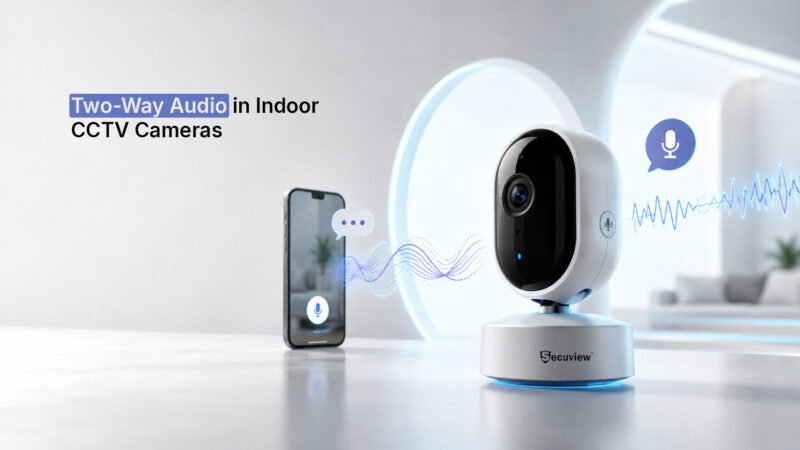
Two-way audio allows users to listen and speak through a compatible indoor CCTV camera.
The system normally uses three main parts: a microphone, speaker, and network connection. The microphone captures nearby sound, while the speaker plays audio received from the connected device.
For example, you can use the feature to speak with someone in another room, respond to a visitor, or check on a child without being physically present.
How Does Two-Way Audio Work?
The process starts when the camera captures sound through its built-in microphone.
The Microphone Captures Sound
The microphone picks up voices and other sounds around the camera. The camera converts the sound into digital audio and sends it through the network.
Clear audio depends on the microphone, distance, background noise, and camera position.
The App Receives the Audio
A compatible mobile app or web platform receives the audio from the camera. You can listen to the sound through your phone or another connected device.
When you want to speak, you use the microphone control in the app.
The Camera Speaker Plays Your Voice
Your voice travels back through the network to the camera. The built-in speaker then plays your voice in the monitored room.
A stable connection can help reduce delays and interruptions during communication.
Why Is Two-Way Audio Useful for Indoor CCTV?
Video shows what is happening, but audio can add useful context. Two-way communication also lets you respond without being in the same room.
Home Monitoring
Two-way audio can help you communicate with family members in another room. It can also be useful when checking on visitors or activity while you are away.
Office and Reception Areas
An indoor camera with two-way audio can help staff communicate with visitors. For example, a person working in another room can respond when someone arrives at the reception desk.
Small Business Monitoring
Business owners can use two-way audio to communicate with staff or respond to activity near a monitored area. The feature is most useful when the camera is positioned where direct communication may be needed.
Baby and Room Monitoring
Two-way audio is especially useful in baby monitoring cameras. Parents can listen to a room and speak through the camera when needed.
For this use, the camera should provide clear audio and a suitable viewing angle.
What Affects Two-Way Audio Quality?
Not every camera provides the same audio experience. Several factors can affect how clearly you hear and speak.
Microphone Quality
A good microphone can capture voices more clearly. Noise reduction can also help when there are fans, air conditioners, or other background sounds.
Speaker Quality
The speaker affects how clearly your voice can be heard near the camera. A weak speaker may be difficult to hear in a larger or noisy room.
Network Connection
Two-way audio uses the network to send and receive sound. A weak WiFi signal or unstable connection can cause delays or interruptions.
Camera Placement
Avoid placing the camera next to constant sources of noise. Position it where the microphone has a clear path to the area you want to monitor.
Does Two-Way Audio Need the Internet?
It depends on the camera and how you plan to use it.
Remote two-way audio normally needs an internet connection because the audio travels between the camera and your phone. Some systems may support communication over a local network.
If remote communication is important, check the camera’s network requirements before installation.
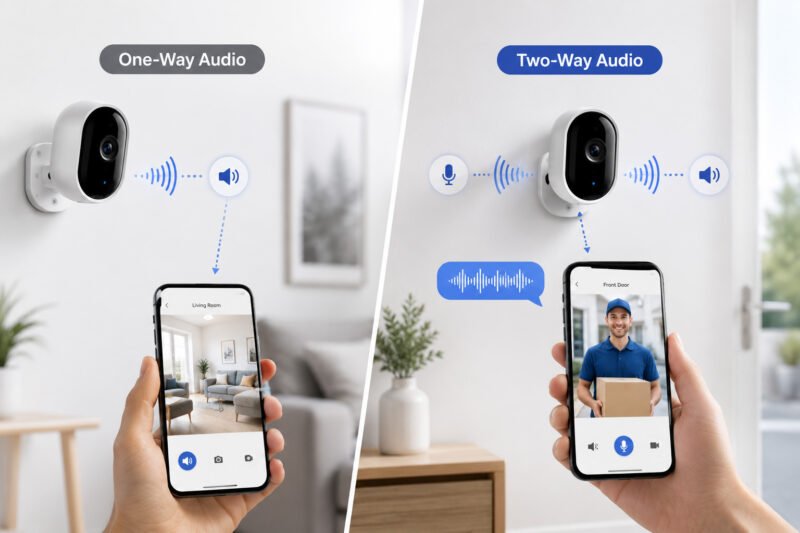
Two-Way Audio vs. One-Way Audio
The difference is simple.
two-way-and-one-way-indoor-camera
One-way audio allows you to listen to sound from the camera.
Two-way audio allows you to listen and speak through the camera.
For users who only need sound monitoring, one-way audio may be enough. If you need to communicate with someone near the camera, two-way audio is more useful.
What Should You Check Before Choosing a Two-Way Audio Camera?
Look at more than the two-way audio label when comparing cameras.
Check the:
- Microphone quality
- Speaker volume
- Audio range
- Noise reduction
- Mobile app support
- Network connection
- Audio delay
- Privacy controls
- Audio recording options
Camera placement also matters. A strong microphone cannot solve every problem caused by distance or background noise.
Best Two-Way Audio Indoor Cameras
If two-way communication is one of your main requirements, choose a camera that combines clear audio with suitable indoor coverage and remote access.
Secuview 5MP Indoor IP Camera
The Secuview 5MP Indoor IP Camera with Two-Way Audio, Auto Tracking, and ONVIF support is a suitable option for indoor monitoring where communication is required.
Secuview 5Mp Indoor Ip Camera | Two-Way Audio, Auto Tracking & ONVIF.
The 5MP resolution provides detailed video, while two-way audio allows users to listen and speak through the camera. Its network features can also suit indoor CCTV setups that need remote access and flexible monitoring.
Secuview WiFi Indoor 2K PT Baby Monitor Camera
The Secuview WiFi Indoor 2K PT Baby Monitor Camera is designed for room and baby monitoring. Its pan and tilt function can help cover a wider area, while two-way communication can make remote monitoring more practical.
It can be a good fit when the main goal is to monitor a bedroom, nursery, or other indoor room from a connected device.
Secuview WiFi Indoor 5MP PT Baby Monitor Camera
The Secuview WiFi Indoor 5MP PT Baby Monitor Camera provides higher image resolution along with pan and tilt functionality.
It can suit parents or homeowners who want more detailed video while also having the ability to communicate through the camera. The choice between a 2K and 5MP model should depend on the room size, viewing detail, and monitoring needs.
Can Two-Way Audio Record Conversations?
Some cameras can record audio with video, while others only support live communication.
This depends on the camera, recording system, and software settings. Before enabling audio recording, check the product specifications and the privacy rules that apply to your location.
Keep Reading
FAQs About Two-Way Audio Indoor CCTV Cameras
Can I talk through an indoor CCTV camera?
Yes. A compatible two-way audio camera lets you speak through its built-in speaker using a supported mobile app or connected device.
Can I hear sound from an indoor CCTV camera?
Yes. If the camera has a built-in microphone and audio monitoring is supported, you can listen to sounds near the camera.
Does two-way audio work without WiFi?
It depends on the camera and network setup. Remote two-way audio usually needs an internet connection. Some systems may support communication through a local network.
Is two-way audio useful for business CCTV?
Yes. It can help staff communicate with visitors or people near a monitored area. It can be useful in reception areas, offices, shops, and other indoor spaces.
Is two-way audio useful for baby monitoring?
Yes. It lets parents listen to the room and speak through the camera. A pan-and-tilt camera can also help monitor different parts of the room.
Does two-way audio use more bandwidth?
Yes, but audio usually requires much less bandwidth than video. The total network requirement depends mainly on the camera’s video resolution, bitrate, and other settings.
Can I use two-way audio from my phone?
Yes. Many network-connected indoor cameras support two-way communication through a mobile application. Check that the camera and app support the feature before buying.
Conclusion
Two-way audio adds live communication to indoor CCTV monitoring. Instead of only watching video, you can listen to the monitored area and speak through the camera when needed.
The feature can be useful for homes, offices, shops, reception areas, and baby monitoring. Audio quality depends on the microphone, speaker, network connection, background noise, and camera position.
When choosing an indoor CCTV camera with two-way audio, consider the complete setup rather than the audio feature alone. Video quality, viewing area, connectivity, privacy controls, and the camera’s intended use should all match your needs.
For homes and rooms that need remote communication, a suitable two-way audio camera can provide both monitoring and convenient interaction.













You must be logged in to post a comment.