
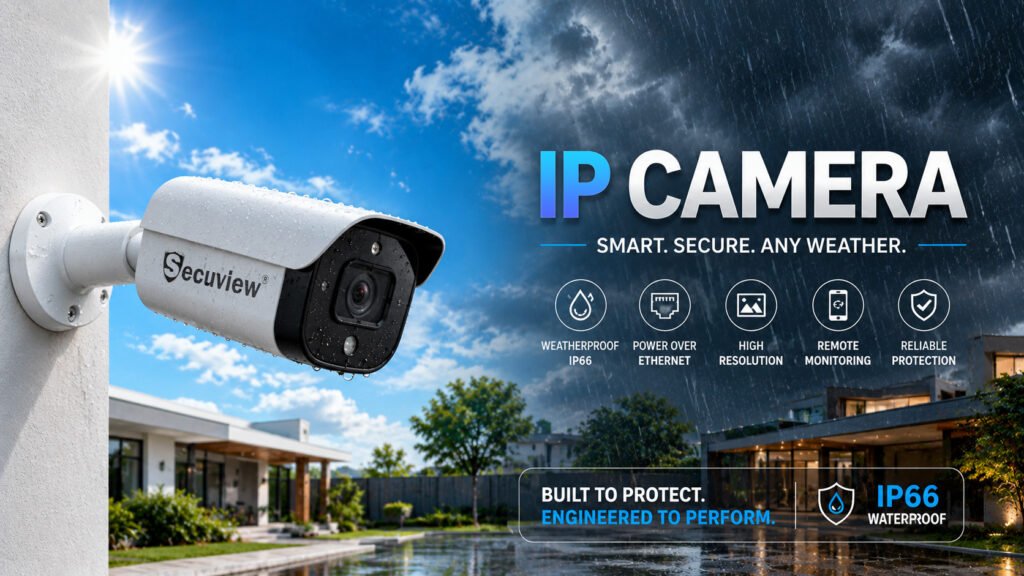
An IP (Internet Protocol) camera captures video, converts it to digital data, and sends it over a standard network cable to an NVR, the same kind of connection a computer or laptop uses to reach a router. That single fact is what everything else about IP cameras follows from: how they’re powered, what features they can support, and why they cost what they cost.
What “IP” Actually Means
IP stands for Internet Protocol, the same addressing system every device on a network uses to communicate, whether that’s a laptop, a printer, or a camera. An IP camera, formally, is a digital camera that has its own IP address and sends video as network data, rather than as an analog electrical signal, the way an AHD camera does. This is the core technical distinction every other fact about IP cameras builds on.
How IP Cameras Actually Work
An IP camera encodes video into a digital format on board, inside the camera itself, before the signal ever reaches a cable, then transmits it as data packets over a Cat6 network cable to an NVR (Network Video Recorder). This is a meaningfully different device from a DVR, which only understands analog AHD/CVBS signals and cannot decode IP data at all.
Because the signal is genuinely digital network traffic, an IP camera can sit on the same network as other devices, be assigned its own address, and be reached directly by any device that can see that network. That’s the foundation everything else in this article builds from — the smart features, the remote access, the pricing structure.
How IP Cameras Get Power: Power over Ethernet
Most IP camera installations use PoE (Power over Ethernet) rather than a separate power cable. A single Cat6 run carries both the video data and the electrical power the camera needs, using standards defined under IEEE 802.3af (up to roughly 15W per port) or the newer 802.3at (up to roughly 30W per port) — the extra wattage in 802.3at matters for cameras with heaters, built-in IR illuminators, or motorized zoom.
This is a genuine practical advantage over running two separate cables to every camera position: one Cat6 run handles the entire job, either straight into a PoE-enabled NVR or through a dedicated PoE switch when the NVR itself doesn’t supply power on its ports.
Video Compression: Why H.264 and H.265 Matter
Raw, uncompressed HD video would consume far more bandwidth and storage than any practical system could handle, so IP cameras compress footage before sending it. H.264 has been the standard compression format for years; H.265 (also called HEVC) compresses the same footage into roughly half the file size at equivalent quality, which directly affects two very practical things: how much storage a system needs for the same number of recording days, and how much bandwidth the network needs to carry multiple camera streams at once.
A system with several H.265-capable cameras can generally run on a smaller, cheaper hard drive than the same camera count on H.264, worth checking before assuming storage cost scales purely with camera count and resolution.
Smart Features Built Into IP Cameras
Because an IP camera is processing video digitally rather than just transmitting an analog signal, it can run on-board analysis that an AHD camera structurally cannot: motion-zone detection that only alerts when activity happens in a defined area rather than anywhere in frame, auto-tracking that follows a moving subject within the camera’s field of view, and two-way audio that lets someone speak through the camera remotely, all using the same single Cat6/PoE connection already carrying video and power.
These aren’t add-ons bolted onto the camera — they’re a direct consequence of the camera doing digital processing on board, which is the same underlying fact (digital encoding, not analog signal) that defines what an IP camera is in the first place.
IP Camera Resolution Options
- 5MP — a practical mid-range resolution for most indoor rooms and general outdoor coverage, enough detail for face recognition at normal distance
- 6-8MP — noticeably sharper detail for larger rooms, wider outdoor fields of view, or positions where post-incident review detail matters
- 12MP — the highest common resolution tier, suited to wide-angle outdoor coverage where a single camera needs to cover a large area while still holding usable detail across the whole frame
Higher resolution increases both storage consumption and network bandwidth per camera, worth weighing against how many cameras the system needs to run simultaneously, and against the compression format in use, since H.265 offsets some of that cost at higher resolutions.
What an IP Camera Is Actually Used For
IP cameras are used anywhere the smart-feature layer matters more than minimizing cost per camera: home monitoring with mobile app alerts, small business security with remote multi-location viewing, retail spaces needing motion-zone alerts on specific areas such as a till or a stockroom door, and any new-build property being wired from scratch, where running Cat6 costs about the same as running coaxial cable in the first place.
IP Camera Pricing: What Changes the Cost
Camera resolution and feature set (auto-tracking, two-way audio, smart detection) are the main price drivers at the camera level. Beyond the camera itself, a full system also needs an NVR — priced by channel count and whether it supports 4K input — Cat6 cabling, and, unless the NVR has built-in PoE ports, a separate PoE switch to power multiple cameras from one point. Compression format also has a downstream cost effect: an H.265 system generally needs less storage for the same retention period than an equivalent H.264 setup.
When IP Makes Sense vs When AHD Makes More Sense
If a property already has coaxial cable installed, or the priority is a straightforward recorded system without needing remote-viewing sophistication, an AHD setup is usually the more cost-effective choice. IP is the better fit for new installations being wired from scratch, or any situation where mobile access, motion alerts, or two-way audio genuinely matter to how the system gets used day to day — the smart-features section above is the deciding factor in most cases, not resolution or price alone.
IP Camera vs Wi-Fi Camera: Are They the Same?
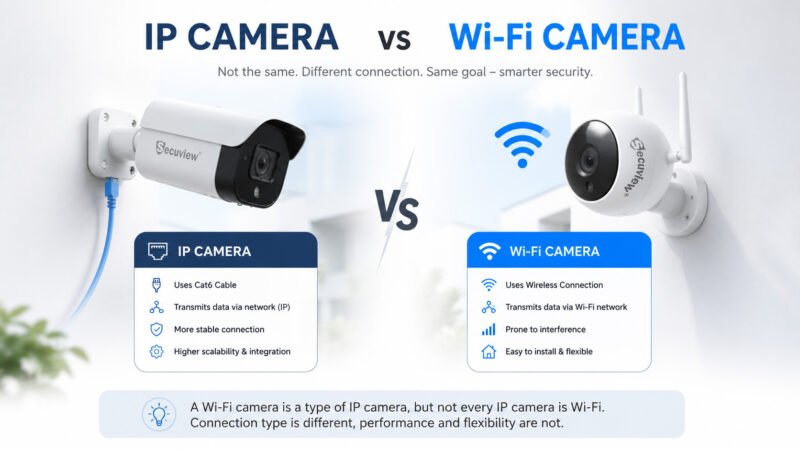
No, and this is one of the most common points of confusion. An IP camera is defined by how it encodes and transmits video as network data. A Wi-Fi camera is defined by the physical medium it uses to reach the network, wireless instead of a Cat6 cable. A Wi-Fi camera is, technically, a specific kind of IP camera that happens to transmit its IP data wirelessly instead of over a wired connection. Not every IP camera is Wi-Fi-enabled, and not every wireless camera uses genuine IP encoding; some cheaper “WiFi cameras” use a simplified proprietary protocol rather than full IP/ONVIF compatibility, which affects what the camera can connect to later.
Viewing and Accessing an IP Camera, Local Network vs Internet
On the same local network, any IP camera can be viewed directly from a phone or computer connected to the same Wi-Fi or Ethernet network as the NVR, with no internet connection required at all. This works purely on local network addressing, genuinely useful for a small office or home where remote access from outside isn’t needed.
From outside the network: viewing footage from another city, or simply from mobile data instead of home Wi-Fi, requires either the NVR’s manufacturer app connecting through a cloud relay service, or manually configuring port forwarding on the router so the system is reachable from the internet. Most consumer NVR systems handle this through a dedicated companion app rather than requiring manual configuration. The app manages the cloud relay connection in the background once the system is registered.
Does an IP camera need Wi-Fi specifically? No, a wired IP camera on Cat6/PoE doesn’t need Wi-Fi to function or record locally. Wi-Fi, or a mobile data connection on the viewing device, is only needed for remote viewing away from the local network.
Is an IP Camera the Same as CCTV?
Is_an_IP_Camera_the_Same_as_CCTV
No, IP is one specific type of CCTV system, not a separate or competing category. CCTV is the umbrella term for any closed-circuit recorded camera system, and IP, AHD, WiFi, and 4G are all different transmission methods that fall under it. The full breakdown of how CCTV as a category relates to surveillance terminology generally is covered separately; this article stays focused on how IP, specifically, works.
Choosing the Right IP Camera for Your Property in Qatar
Choosing the right IP camera depends on the installation environment and the level of surveillance required.
For homes, offices, and indoor spaces, an indoor IP camera with two-way audio and auto-tracking is ideal for remote monitoring and real-time communication. Where higher image detail is important, an 8MP indoor IP camera with smart detection provides clearer video for indoor surveillance.
For outdoor security, a 6MP fixed-lens outdoor IP camera is suitable for entrances, driveways, and small commercial properties, while a 12MP weatherproof outdoor IP camera offers wider coverage and higher image detail for warehouses, parking areas, and large outdoor facilities.
If your property already uses coaxial cable, an AHD camera system may provide a more practical and cost-effective upgrade without replacing existing cabling.
Since IP cameras are only one type of CCTV technology, comparing AHD cameras, WiFi cameras & 4G security cameras, and PTZ cameras helps determine the most suitable surveillance solution for different properties.
Understanding the difference between CCTV cameras and surveillance cameras also makes it easier to choose the right security system based on recording, monitoring, and installation requirements.
Frequently Asked Questions
What is an IP camera used for?
IP cameras are used for home and business security systems that need remote mobile viewing, motion-zone alerts, two-way audio, or multi-location access — home monitoring, retail security, and office/warehouse surveillance are the most common uses.
Is an IP camera better than CCTV?
This isn’t really a fair comparison — an IP camera is one specific type of CCTV system, not a rival category to it. The more useful question is IP vs AHD, which depends on existing wiring and whether smart features are actually needed.
Does an IP camera need Wi-Fi?
A wired IP camera on Cat6/PoE doesn’t need Wi-Fi to record locally. Wi-Fi or mobile data is only needed on the viewing device for remote access away from the local network.
Can I view an IP camera on my phone without internet?
Yes, if the phone is connected to the same local network (Wi-Fi) as the NVR. Viewing from outside that network — over mobile data or a different Wi-Fi network — requires an internet connection and the NVR’s companion app.
What’s the difference between an IP camera and a Wi-Fi camera?
An IP camera is defined by how it encodes video as network data; a Wi-Fi camera is a type of IP camera that transmits that data wirelessly instead of over a physical Cat6 cable. Not every IP camera is Wi-Fi-enabled, and not every wireless camera uses genuine IP/ONVIF encoding.
What is the difference between H.264 and H.265 in an IP camera?
H.265 compresses footage to roughly half the file size of H.264 at equivalent quality, which reduces both the storage needed for the same recording period and the bandwidth needed to run multiple camera streams at once.













