
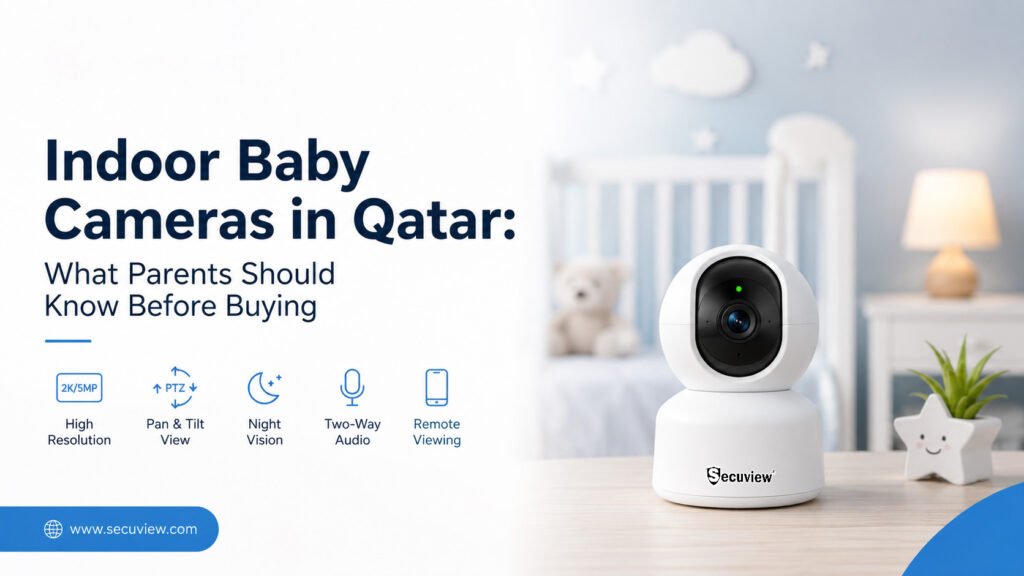
Choosing an indoor baby camera in Qatar is about more than selecting the highest resolution. Parents should consider video quality, night vision, pan-tilt coverage, two-way audio, motion detection, WiFi reliability, smartphone access, storage, privacy, and the camera’s installation location.
For parents specifically looking for a camera for a nursery or baby room, the Secuview WiFi Indoor 2K PTZ Baby Monitor Camera is the primary option to consider in this guide. It combines 2K video, 355° pan, 90° tilt, two-way audio, motion detection, smartphone access, TF-card storage, and 2.4G/5G WiFi.
The Secuview WiFi Indoor 5MP PT Baby Monitor Camera is another option for parents who prioritize a higher listed image resolution. It offers 5MP video, 355° pan, 60° tilt, infrared night vision, two-way audio, motion detection, smartphone access, multiple-person sharing, and 2.4G/5G WiFi.
What Is an Indoor Baby Camera?
An indoor baby camera is a room-monitoring device that lets parents observe a baby or child remotely. Modern WiFi baby cameras can combine live video, motion alerts, two-way audio, mobile access, and motorized pan-and-tilt movement in one device.
Unlike a basic fixed CCTV camera, a baby-monitoring camera is often designed around close indoor observation and communication. The camera may be positioned in a nursery, bedroom, family room, or another indoor space where parents need to check activity without continuously being in the room.
A WiFi camera connects to the home’s wireless network and can provide app-based live viewing and notifications. WiFi cameras are particularly useful for room-specific monitoring where running a dedicated network cable is inconvenient.
How Does an Indoor Baby Camera Work?
The camera captures video inside the room and sends the footage through the camera’s network connection. Depending on the model and configuration, parents can view live video through a smartphone, receive motion notifications, communicate through two-way audio, and store recordings locally.
For example, the Secuview 2K model supports smartphone remote access, motion notifications, two-way audio, TF-card storage, and 2.4G/5G WiFi.
Baby Camera vs. Traditional Baby Monitor
A traditional baby monitor may focus mainly on audio or a simple video feed. A modern indoor WiFi camera can combine several functions:
- Live video
- Remote smartphone viewing
- Motion detection
- Two-way audio
- Pan and tilt
- Night monitoring
- Local recording
- Multiple-user access
This makes an indoor WiFi camera useful not only for babies but also for pets, elderly family members, bedrooms, and general indoor monitoring.
Why WiFi Cameras Are Useful for Indoor Monitoring
WiFi removes the need to run a network cable between the camera and router, although the camera still requires a suitable power source unless it is specifically designed as a battery-powered model.
The main advantage is flexibility. A parent can install a camera in a nursery or bedroom and access the live view through a compatible mobile application. However, the quality of the experience still depends on reliable WiFi coverage at the camera’s exact location.
For a broader explanation of wireless camera technology, see WiFi Cameras Explained: Wireless Security, App Control & Easy Installation.
Why PT and PTZ Cameras Are Useful in a Baby Room
PT means pan and tilt, while PTZ generally refers to pan, tilt, and zoom.
A motorized camera can change its viewing direction, helping parents check different parts of a nursery or bedroom without physically moving the camera. PTZ technology is particularly useful when a single camera needs to cover a wider indoor area.
What Should You Look for in an Indoor Baby Camera?

Key indoor baby camera features include clear video, night vision, pan-and-tilt coverage, two-way audio, motion detection and WiFi monitoring.
The right baby camera should be selected according to the room, viewing requirements, network environment, and monitoring purpose.
Video Resolution for Clear Baby-Room Monitoring
Resolution determines the amount of image detail available from the camera.
The Secuview 2K PTZ model provides 2K video, while the Secuview indoor PT model provides a higher listed 5MP resolution.
However, resolution should not be considered in isolation. Image quality also depends on lighting, lens coverage, camera positioning, compression, and the viewing distance.
For a small nursery, 2K can provide a practical level of detail. If higher listed resolution is a priority, the 5MP model provides another option.
Night Vision for Day-and-Night Monitoring
Night monitoring is important because a nursery may be dark for extended periods.
Infrared night vision can help maintain visibility when normal room lighting is low or switched off. The Secuview 5MP model specifically lists infrared night vision for low-light monitoring.
Parents should consider both daytime image quality and nighttime performance instead of evaluating a camera only from daytime specifications.
Pan and Tilt for Wider Room Coverage
Pan-and-tilt functionality allows the camera to change its viewing direction.
The Secuview 2K PTZ model provides 355° pan and 90° tilt, while the 5MP model provides 355° pan and 60° tilt.
This can be useful when a nursery contains a cot, changing area, play area, or other locations that parents may want to check.
Two-Way Audio for Parent-to-Baby Communication
Two-way audio combines a microphone and speaker so parents can listen and communicate through the camera.
The Secuview 2K and 5MP models both provide two-way audio.
This can be useful for:
- Speaking to a baby
- Comforting a child
- Communicating with family
- Checking on an elderly family member
- Communicating with someone in another room
Motion Detection and Smart Alerts
Motion detection can notify parents when activity is detected.
The Secuview 2K camera supports motion detection and smartphone alerts, while the product information also describes designated monitoring areas.
Motion alerts should be configured according to the room so that normal household activity does not result in unnecessary notifications.
Smartphone Remote Viewing
Remote smartphone access is one of the main advantages of a WiFi baby camera.
The Secuview 2K and 5MP cameras provide mobile access for live viewing and alerts.
This can be particularly useful when parents are in another part of the house or away from home.
WiFi Connectivity and Network Reliability
Both featured Secuview models support 2.4G and 5G WiFi according to their product information.
The camera should be installed where the wireless signal is sufficiently reliable. Thick walls, distance from the router, and wireless interference can affect connection quality.
Local Storage and Cloud Storage Options
Storage is another consideration when choosing an indoor camera.
The Secuview 2K model supports TF-card storage, allowing recordings to be stored locally on a compatible card.
Parents should decide whether they primarily need:
- Live viewing
- Motion-event recording
- Local recording
- Cloud recording
- Playback from stored footage
The available options depend on the specific camera and application.
Multi-User Camera Sharing
A baby camera can sometimes be useful to more than one authorized family member.
The Secuview 2K and 5MP models support multiple-person sharing according to their product information.
Access should still be limited to people who genuinely need to view the camera.
What Is the Best Indoor Camera for Baby Monitoring in Qatar?
For parents looking for an indoor camera specifically for baby monitoring in Qatar, the Secuview WiFi Indoor 2K PTZ Baby Monitor Camera is the primary option in this guide.
It combines 2K video, 355° pan, 90° tilt, two-way audio, smart motion detection, smartphone remote access, TF-card storage, one-touch calling, designated-area alerts, and 2.4G/5G WiFi.
Secuview WiFi Indoor 2K PTZ Baby Monitor Camera
The 2K PTZ camera is designed for indoor monitoring where parents want both video visibility and flexible camera movement.
Key Features
- 2K video
- 355° pan
- 90° tilt
- PTZ functionality
- Two-way audio
- Smart motion detection
- Smartphone remote access
- One-touch call
- Designated-area alerts
- TF-card storage
- Multiple-person sharing
- 2.4G and 5G WiFi
These features are listed on the product’s official Secuview page.
Why the 2K PTZ Camera Is Suitable for Baby Monitoring
A nursery is not necessarily a single fixed viewing point. The baby may be in a cot, crib, play area, or another part of the room.
The 355° pan and 90° tilt range give the camera substantial movement capability for indoor room monitoring.
The combination of movement, two-way audio, motion detection, and smartphone access makes it particularly relevant when parents want more than a fixed video feed.
Where Can the 2K PTZ Camera Be Used?
The camera can be considered for:
- Baby rooms
- Nurseries
- Bedrooms
- Family rooms
- Pet monitoring
- Elderly family monitoring
- Indoor home monitoring
- Small indoor spaces
Secuview also identifies babies, pets, elderly family members, family environments, and business monitoring among its listed use cases.
Secuview WiFi Indoor 5MP PT Baby Monitor Camera
The Secuview WiFi Indoor 5MP PT Baby Monitor Camera is the alternative to consider when a higher listed image resolution is a priority.
It provides 5MP video, 355° pan, 60° tilt, infrared night vision, two-way audio, motion detection, smartphone access, live view and playback, multiple-person sharing, and 2.4G/5G WiFi.
5MP Video for Higher Listed Image Resolution
The 5MP model provides a higher listed resolution than the 2K model.
For parents who prioritize image resolution when selecting an indoor camera, this can make the 5MP model an attractive alternative.
355° Pan and 60° Tilt Coverage
The camera provides a 355° horizontal pan and a 60° vertical tilt, allowing the viewing direction to be adjusted remotely.
Infrared Night Vision
The 5MP model includes infrared night vision for low-light and dark indoor conditions.
Two-Way Audio
The built-in microphone and speaker allow parents to communicate remotely through the camera.
Smart Motion Detection and Tracking
Motion detection can provide smartphone notifications when movement is detected, while the product information describes intelligent tracking functionality.
Smartphone Remote Access
The camera supports remote viewing through a compatible mobile application, allowing users to check the indoor space from their phone.
Multiple-Person Sharing
The 5MP camera supports multiple-person sharing, which can be useful when more than one authorized family member needs access.
Secuview 2K PTZ vs. 5MP PT Baby Monitor Camera
| Feature | Secuview 2K PTZ | Secuview 5MP PT |
| Video resolution | 2K | 5MP |
| Pan | 355° | 355° |
| Tilt | 90° | 60° |
| PT/PTZ movement | Yes | Yes |
| Two-way audio | Yes | Yes |
| Motion detection | Yes | Yes |
| Smartphone access | Yes | Yes |
| Night monitoring | Yes | Infrared night vision |
| WiFi | 2.4G / 5G | 2.4G / 5G |
| Baby monitoring | Yes | Yes |
| Pet monitoring | Yes | Yes |
| Elderly family monitoring | Yes | Yes |
| Multiple-person sharing | Yes | Yes |
The specifications above are based on the respective Secuview product information.
Which Camera Is Better for a Baby Room?
For a typical nursery, the 2K PTZ model is a strong choice when broad motorized coverage and a 90° tilt range are important.
The 5MP model may be preferable when the higher listed resolution and infrared night vision are higher priorities.
Which Camera Is Better for Wider PT Coverage?
The 2K model provides 355° pan and 90° tilt, compared with 355° pan and 60° tilt on the 5MP model.
Therefore, if vertical movement range is particularly important, the 2K model has the advantage based on the listed specifications.
Which Camera Is Better if Higher Listed Resolution Is the Priority?
The 5MP model has the higher listed image resolution.
However, parents should consider resolution together with room size, lighting, camera position, storage, and actual viewing requirements.
Which Camera Is Better for Elderly Family Monitoring?
Both cameras can be used for elderly family monitoring.
The combination of remote viewing, pan-and-tilt movement, motion detection, and two-way audio can be useful when family members need to check on an elderly person from another location. Secuview specifically lists elderly family monitoring as a use case for both products.
Which Camera Is Better for Pet Monitoring?
Both models can also be used for indoor pet monitoring. The PT/PTZ movement allows the camera to change its viewing direction, while smartphone access allows remote checking.
How PT and PTZ Cameras Improve Indoor Room Coverage
A fixed camera observes one primary direction. A PT or PTZ camera can physically change its viewing direction.
That makes motorized movement useful for rooms where the monitored subject can move between different areas.
355° Pan for Horizontal Room Coverage
Both featured cameras provide a 355° horizontal pan.
This allows parents to adjust the camera’s horizontal viewing direction through the compatible application.
Tilt Range for Vertical Viewing
Tilt controls vertical viewing.
The 2K model provides 90° tilt, while the 5MP model provides 60° tilt.
Reducing Blind Spots in a Nursery
PT movement can help reduce blind spots compared with a fixed camera when the room contains several areas that need to be viewed.
However, PTZ movement does not mean that every part of the room is monitored simultaneously. The camera can only point in one direction at a time.
Monitoring Different Parts of a Bedroom
A PT camera can be useful in bedrooms or family rooms where the intended monitoring area changes during the day.
For a broader explanation of pan, tilt, zoom, tracking, and PTZ technology, see What a PTZ Camera Is.
Night Vision for Indoor Baby Monitoring
Nighttime is one of the most important conditions to consider when choosing a nursery camera.
Why Night Vision Matters in a Baby Room
Babies may sleep in a dark or dimly lit room for several hours. A camera intended for day-and-night monitoring therefore needs suitable low-light performance.
Infrared Monitoring at Night
The 5MP model specifically lists infrared night vision, allowing it to monitor indoor areas in low-light conditions.
Monitoring Without Turning on Room Lights
Night vision can allow parents to check the room without relying on normal room lighting.
Parents should still consider the camera’s actual nighttime image performance and installation position rather than assuming that all night vision systems perform identically.
Two-Way Audio for Babies, Families, and Elderly Monitoring
Two-way audio expands an indoor camera from a viewing device into a communication device.
Talking to a Baby Through the Camera
Parents can use the camera’s microphone and speaker to communicate remotely with a child. Both featured Secuview cameras provide two-way audio.
Communicating With Family Members
Two-way audio can also be useful when family members need to communicate between rooms.
Using Two-Way Audio for Elderly Family Monitoring
For elderly family monitoring, two-way audio can allow family members to speak with someone without physically entering the room.
This can be useful when combined with remote smartphone viewing and motion alerts.
Using Two-Way Audio for Pet Monitoring
Pet owners can also use two-way audio to communicate with pets while away from home.
Can You Use an Indoor Camera as a Baby or Pet Monitor?
Yes. A WiFi indoor PT/PTZ camera can be used for baby monitoring, pet monitoring, elderly family monitoring, and general indoor observation when its features match the intended purpose.
The Secuview 2K and 5MP models are both presented for baby, pet, elderly-family, and indoor monitoring applications.
Baby Monitoring
Use the camera to observe the nursery, check movement, communicate through two-way audio, and receive motion notifications.
Pet Monitoring
PT movement and remote smartphone access can help owners check pets when they are away.
Elderly Family Monitoring
Remote viewing and two-way audio can support family members who want to check on an elderly relative.
Family Room Monitoring
An indoor camera can also be used for general monitoring of shared rooms, provided the camera is positioned appropriately and privacy is respected.
Can an Indoor Camera Be Used for Elderly Family Monitoring?
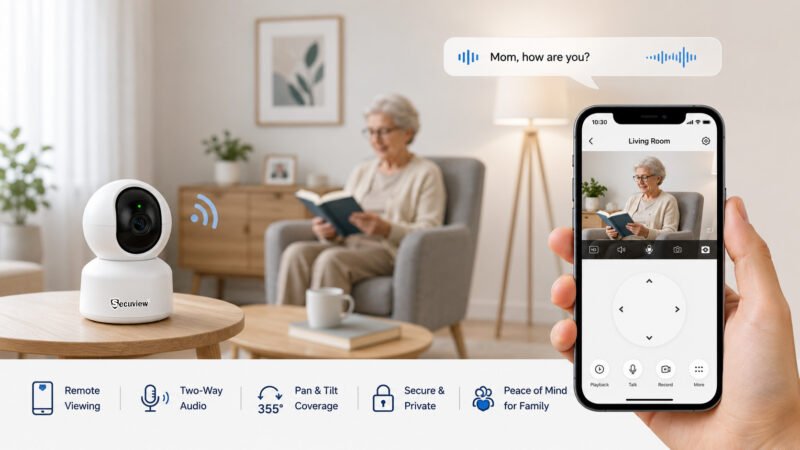
Indoor WiFi camera enables remote viewing, two-way audio and flexible pan-tilt monitoring for elderly family members.
Yes. An indoor PT camera can help family members remotely check on an elderly person and communicate through two-way audio when appropriate.
The Secuview product information specifically identifies elderly family members as a monitoring use case for both the 2K and 5MP indoor WiFi cameras.
Remote Viewing for Elderly Family Members
Smartphone access allows authorized family members to check the camera remotely.
Two-Way Communication
Two-way audio can make communication easier when a family member needs to speak to someone in another room.
Flexible Pan-Tilt Coverage
Pan-and-tilt movement can help cover different parts of an indoor room without physically repositioning the camera.
Privacy Considerations
Elderly monitoring should always be based on consent and an appropriate monitoring purpose. Avoid unnecessary views into private areas and restrict camera access to authorized people.
How Much Do Baby Monitor Cameras Cost in Qatar?
Baby camera prices in Qatar can vary depending on the model and features.
Rather than choosing only by price, compare the functions that matter to the intended room.
What Affects Baby Camera Pricing?
Important factors can include:
- Resolution
- PT/PTZ functionality
- Night vision
- WiFi connectivity
- Two-way audio
- Motion detection
- Smartphone access
- Storage
- Multi-user sharing
The two Secuview models in this guide differ in resolution and pan/tilt specifications, among other feature details.
Should You Choose a Baby Camera Based Only on Price?
No.
A lower-priced camera may be adequate for basic viewing, but a parent who needs remote access, motorized coverage, night monitoring, or two-way audio may benefit from choosing according to features rather than price alone.
What Features Are Worth Paying More For?
Prioritize the features that solve an actual monitoring requirement.
For example:
Need wider motorized coverage? Consider PT/PTZ.
Need higher listed resolution? Consider 5MP.
Need nighttime monitoring? Look for suitable night vision.
Need communication? Look for two-way audio.
Need remote viewing? Look for reliable WiFi and smartphone support.
Do Baby Monitor Cameras Have Night Vision?
Yes. Indoor baby monitor cameras can use infrared night vision to provide visibility in low-light or dark conditions.
The Secuview 5MP model specifically lists infrared night vision.
Why Night Vision Is Important for Nurseries
A nursery may be dark during sleeping hours, so daytime-only performance is not enough for many parents.
Infrared Monitoring at Night
Infrared technology allows compatible cameras to capture images when visible light is limited.
What to Check Before Buying a Night-Vision Camera
Check:
- Whether infrared night vision is listed
- Expected room lighting
- Camera placement
- Viewing distance
- Image clarity at night
- Whether night monitoring meets your actual needs
Can You View an Indoor Baby Monitor Camera on Your Phone?
Yes. The Secuview 2K PTZ and 5MP PT cameras support remote smartphone monitoring through their compatible mobile applications.
Live Video From Your Smartphone
Parents can use the mobile application to check the live camera view remotely.
Motion Alerts on Your Phone
Motion detection can generate notifications when movement is detected, depending on the camera settings and network connection.
Remote PT/PTZ Control
A motorized camera can be adjusted remotely, making it possible to change the viewing direction without entering the room.
Multi-Person Access
Both featured models support multiple-person sharing, which can be useful for authorized parents and family members.
What Happens When WiFi or Internet Access Is Unavailable?
WiFi is required for remote viewing and app-based features. The 2K product information specifically states that remote monitoring, instant notifications, and mobile control require a WiFi connection.
WiFi Requirements for an Indoor Baby Camera in Qatar
A reliable wireless connection is an important part of a WiFi baby camera installation.
Check WiFi Coverage in the Baby Room
Do not assume that the router provides equally strong coverage throughout the home.
Check the signal at the exact location where the camera will be installed.
2.4 GHz vs. 5 GHz WiFi
The featured Secuview cameras support both 2.4 GHz and 5 GHz frequencies.
In general, 2.4GHz can provide better range through a home, while 5GHz can provide higher speeds over shorter distances. Actual performance depends on the router, building layout, interference, and network environment.
Avoiding Weak Wireless Signals
If the nursery is far from the router or separated by several walls, test the connection before finalizing the camera position.
Camera Placement and WiFi Performance
The best physical camera position may not always be the best WiFi position.
Balance:
room coverage + viewing angle + power access + WiFi signal
Internet Connection for Remote Monitoring
Remote smartphone access requires an internet-connected network. Without suitable connectivity, remote monitoring and notifications may not function as intended.
Where Should You Place an Indoor Baby Camera?
Camera placement can have as much impact on useful monitoring as the camera’s specifications.
Positioning the Camera for a Clear Nursery View
Place the camera where the intended monitoring area is visible without unnecessary obstructions.
Choosing the Right Height
The mounting height should provide an appropriate view of the room while keeping cables and equipment secure.
Avoiding Furniture and Other Obstructions
Check whether wardrobes, shelves, curtains, doors, or other objects block the camera’s view.
Using PT/PTZ to Cover More of the Room
If the camera is a PT/PTZ model, position it so the motorized movement can make practical use of its available viewing range.
Keeping Power Cables Secure
Power cables should be routed safely and kept away from areas where a child could reach, pull, or become entangled with them.
Avoiding Unnecessary Private Areas
The camera should only capture areas that genuinely require monitoring.
Indoor Baby Camera Privacy and Security
A baby camera is also a network-connected device, so privacy and account security should be considered during installation.
Limit Camera Access to Authorized Users
Only people who genuinely need access should be permitted to view the camera.
Use Strong Account Credentials
Use a strong, unique password for the account associated with the camera and application.
Keep the Camera App Updated
Keep supported applications and camera firmware updated when updates are available.
Protect Remote Camera Access
Remote viewing should be secured through the manufacturer’s supported account and application features.
Avoid Monitoring Private Areas
Do not position cameras toward bathrooms, changing areas, or other locations where surveillance would be inappropriate.
Consider Who Can View Shared Camera Feeds
Multi-user sharing can be useful, but access should be limited to trusted and authorized family members.
Common Mistakes When Choosing a Baby Monitor Camera
Choosing Only by Megapixels
More megapixels do not automatically mean a better camera for every nursery.
Consider resolution alongside lens coverage, lighting, night vision, viewing distance, and recording requirements.
Ignoring Night Vision
A camera used primarily at night needs appropriate low-light performance.
Ignoring WiFi Coverage
A feature-rich WiFi camera cannot provide a reliable remote experience if the wireless connection at the installation point is weak.
Choosing a Fixed Camera When PT Coverage Is Needed
If parents need to check several areas of a room, PT/PTZ functionality may be more useful than a fixed viewing direction.
Forgetting About Two-Way Audio
For baby and family monitoring, two-way communication can be a valuable feature.
Ignoring Storage Requirements
Decide whether you need live monitoring only or whether recorded footage should also be stored.
Giving Camera Access to Too Many Users
Only authorized people should have access to live video and recordings.
Installing the Camera in the Wrong Position
Even a good camera can provide poor monitoring if its position creates blind spots or unnecessary views.
Indoor Baby Camera Buying Checklist for Parents in Qatar
| What to check | Why it matters |
| Resolution | Image detail |
| Pan/Tilt | Room coverage |
| Night vision | Dark-room monitoring |
| Motion detection | Activity alerts |
| Two-way audio | Communication |
| WiFi | Remote connectivity |
| Smartphone access | Remote viewing |
| Storage | Recording and playback |
| User sharing | Family access |
| Privacy | Responsible monitoring |
Before buying, also consider the size of the room, WiFi signal, power location, desired viewing area, and whether the camera will be used primarily for baby monitoring or broader indoor monitoring.
Frequently Asked Questions
What is the best indoor camera for baby monitoring in Qatar?
The Secuview WiFi Indoor 2K PTZ Baby Monitor Camera is the primary recommendation for parents who want 2K video, 355° pan, 90° tilt, two-way audio, motion detection, smartphone access, and TF-card storage.
Can I use an indoor camera as a baby or pet monitor?
Yes. An indoor WiFi PT/PTZ camera can be used for baby monitoring, pet monitoring, elderly family monitoring, and other indoor observation when its features are appropriate for the intended use. Both featured Secuview models are presented for these applications.
Can an indoor camera be used to monitor an elderly family member?
Yes. An indoor camera with remote viewing, pan-and-tilt movement, motion detection, and two-way audio can support elderly family monitoring. Privacy and consent should always be considered.
How much do baby monitor cameras cost in Qatar?
Prices vary by model and features. Resolution, PT/PTZ movement, night vision, audio, WiFi, storage, motion detection, and smartphone access can all influence the value of a baby monitor camera. Check the current product price before purchasing.
Do baby monitor cameras have night vision?
Many indoor baby cameras do. The Secuview 5MP PT Baby Monitor Camera specifically includes infrared night vision for low-light monitoring.
Can I view an indoor baby monitor camera on my phone?
Yes. Both featured Secuview cameras support remote smartphone viewing through their compatible mobile application.
Is a 2K camera good enough for baby monitoring?
Yes, 2K can be a practical resolution for baby-room monitoring. The suitability depends on the room, viewing distance, lighting, camera position, and the level of image detail parents need.
Is a 5MP indoor camera better than a 2K baby monitor?
Not necessarily. The 5MP model has a higher listed resolution, while the 2K model provides a larger listed tilt range of 90° compared with 60° on the 5MP model. The better choice depends on whether resolution or camera movement is more important for your room.
Is a PTZ camera useful for a baby room?
Yes. PT/PTZ movement can help parents change the camera’s viewing direction and cover different areas of a nursery or bedroom. The Secuview 2K model provides 355° pan and 90° tilt.
Does a WiFi baby camera need internet?
Remote features generally require an internet-connected network. Local camera functions and recording can vary by model, but remote smartphone viewing and notifications depend on suitable connectivity. The Secuview 2K product information specifically states that remote monitoring features require WiFi.
Can multiple family members access the same baby camera?
Yes, where the camera and application support user sharing. Both featured Secuview models list multiple-person sharing. Access should be limited to authorized family members.
Where should I install a baby monitor camera?
Install the camera where it provides a clear view of the intended monitoring area, remains connected to reliable WiFi, has a safe power connection, and does not unnecessarily capture private areas.
What should I check before buying a baby camera in Qatar?
Before purchasing, verify key specifications, including resolution, pan and tilt range, night vision, motion detection, two-way audio, WiFi compatibility, smartphone access, storage options, user sharing features, installation requirements, and privacy/account security settings.
Conclusion
The best indoor baby camera for a home in Qatar should be selected according to how the room will be monitored, rather than simply choosing the camera with the highest specification.
For parents who prioritize 2K video, wide PTZ movement, 355° pan, 90° tilt, two-way audio, motion detection, smartphone access, and TF-card storage, the Secuview WiFi Indoor 2K PTZ Baby Monitor Camera is the primary option in this guide.
For parents who prioritize a higher listed 5MP resolution, the Secuview WiFi Indoor 5MP PT Baby Monitor Camera is a strong alternative, with 355° pan, 60° tilt, infrared night vision, two-way audio, motion detection, remote access, and multiple-person sharing. Explore Secuview WiFi Indoor Cameras. The decision should ultimately come down to:
resolution + PT/PTZ coverage + night vision + two-way audio + motion detection + WiFi reliability + storage + privacy.
For parents in Qatar, these factors matter whether the camera is being used for a baby, pet, elderly family member, bedroom, family room, or general indoor monitoring.
And most importantly, an indoor camera should be installed with a clear monitoring purpose, a reliable network connection, safe cable placement, and appropriate privacy controls.













